

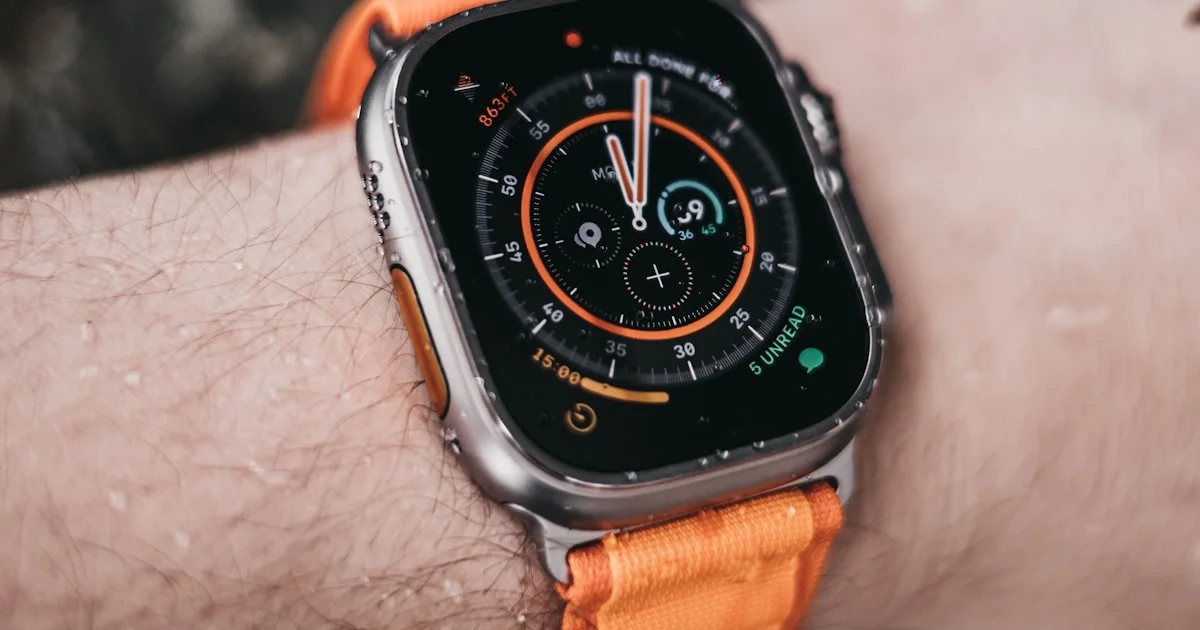
If you’re weighing the Apple Watch Ultra 2 vs 3, the choice really comes down to three things: satellite messaging, a brighter always-on screen, and a few extra hours of battery. Both watches share the same rugged 49mm titanium case built for hiking, sailing, and diving. This guide breaks down the real differences in health tracking, battery life, and price, and shows how both stack up against the smaller Apple Watch Series 11.
Key Takeaways
- The Ultra 3 adds two-way satellite messaging and Emergency SOS via satellite. The Ultra 2 has neither.
- The Ultra 3 lasts up to 42 hours on normal use, about 6 hours longer than the Ultra 2’s 36 hours.
- The Ultra 3 display uses LTPO3 technology for a brighter, more detailed always-on screen that updates every second instead of every minute.
- Both watches now support hypertension notifications and Sleep Score after a watchOS 26 software update, since both use an S9 chip or newer.
- The Series 11 costs noticeably less than either Ultra model but skips satellite connectivity and the dive-rated titanium case entirely.
Apple Watch Ultra 2 vs 3: What Actually Changed
The short answer: the apple watch ultra 2 vs 3 debate mostly comes down to connectivity and screen technology, not a full redesign. Apple kept the same 49mm titanium case, the same Action button, and the same 100-meter water resistance rating for diving. What changed sits mostly under the hood and on the display.
New on the Ultra 3
- An S10 chip with a 4-core Neural Engine, up from the S9 chip in the Ultra 2
- 5G cellular with a dual-antenna system for stronger signal in weak coverage areas
- Two-way satellite connectivity, including Emergency SOS, satellite Messages, and Find My via satellite
- A wider-angle OLED display with LTPO3 technology, thinner bezels, and a larger screen area
- Faster charging: 0 to 80 percent in about 45 minutes, compared to roughly an hour on the Ultra 2
What Stayed the Same
Both watches use the identical 49mm titanium case, available in natural or black finishes, so bands made for one fit the other. Water resistance is unchanged at 100 meters with support for recreational diving to 40 meters. Core health sensors, including the temperature sensor, blood oxygen app, and ECG app, carried over without changes.
Apple Watch Ultra 2 vs 3 Health Features
When it comes to apple watch ultra 2 vs 3 health features, the two watches are closer than most people expect. Apple pushed most of its 2025 health upgrades out through a watchOS 26 software update, so many features reach both models instead of being locked to the newest hardware.
Hypertension Notifications
Both the Ultra 2 and Ultra 3 can now flag possible signs of chronic high blood pressure. Apple says the feature works on any Apple Watch Series 9 or Apple Watch Ultra 2 or later, so the Ultra 2 qualifies even though it launched before the feature existed. It analyzes optical heart sensor data collected passively over a 30-day period. It is not a blood pressure cuff and does not diagnose hypertension on its own, but it can prompt you to get checked by a doctor.
Sleep Score
Both watches also gained Sleep Score, a nightly rating built from sleep duration, consistency, how often you wake up, and time spent in each sleep stage. Because this is a software feature tied to watchOS rather than new hardware, Ultra 2 owners get the same score as Ultra 3 owners.

Apple Watch Ultra 2 vs 3 Battery Life
The apple watch ultra 2 vs 3 battery life gap is the single biggest reason to consider upgrading. The Ultra 3 lasts up to 42 hours on a full charge with normal use, compared with up to 36 hours on the Ultra 2. In Low Power Mode, both watches can stretch to roughly 72 hours.
- Normal use: Ultra 3 up to 42 hours versus Ultra 2 up to 36 hours
- Low Power Mode: both models up to about 72 hours
- Continuous outdoor workout with GPS and heart rate in Low Power Mode: Ultra 3 is rated for about 20 hours
- Fast charging: Ultra 3 reaches 80 percent in about 45 minutes, and a 15-minute top-up adds roughly 12 hours of use; the Ultra 2 takes closer to an hour for the same 80 percent charge
If you own either watch, a few habits stretch the battery further no matter which generation you have. Here’s a simple routine to try before a long day outdoors:
- Turn on Low Power Mode before long hikes, flights, or multi-day trips.
- Lower the always-on display brightness, or turn off always-on entirely for daily wear.
- Turn off background heart-rate alerts and features you don’t actively use, like the always-on altimeter.
Apple Watch Ultra 2 vs 3 vs Series 11: Which One Fits You
Choosing between the apple watch ultra 2 vs 3 vs series 11 really is a budget and lifestyle question more than a specs contest. The Series 11 is smaller, lighter, and cheaper, but it drops the rugged case and satellite features that define the Ultra line.
| Feature | Apple Watch Ultra 2 | Apple Watch Ultra 3 | Apple Watch Series 11 |
|---|---|---|---|
| Best for | Value-focused buyers who want the Ultra design | Backcountry hikers, sailors, and divers who need off-grid contact | Everyday fitness tracking and notifications |
| Case | 49mm titanium | 49mm titanium | 42mm or 44mm, aluminum or titanium |
| Battery (normal use) | Up to 36 hours | Up to 42 hours | Up to 24 hours |
| Satellite connectivity | Not available | Emergency SOS, Messages, and Find My via satellite | Not available |
| Water resistance | 100m, dive-rated to 40m | 100m, dive-rated to 40m | Standard water resistance, no dive rating |
| Main trade-off | Misses the newest screen tech and satellite features | Highest price point in the current lineup | No rugged case, no satellite, smallest battery |
A few simple rules help most shoppers decide:
- Choose the Ultra 2 if you want the rugged Ultra design and don’t need satellite messaging.
- Choose the Ultra 3 if you hike, sail, or travel somewhere cell service regularly disappears.
- Choose the Series 11 if you want solid Apple Watch health tracking without paying for Ultra-level toughness.
Frequently Asked Questions
Here are quick answers to the questions people ask most often when picking between these three watches.
Is the Apple Watch Ultra 3 worth upgrading from the Ultra 2?
For most current Ultra 2 owners, probably not, unless you specifically need satellite messaging outside of cell coverage or want the brighter always-on screen. The health and battery gains are real, but they’re modest if you mostly wear your watch in town.
Does the Apple Watch Ultra 2 get satellite connectivity too?
No. Two-way satellite messaging, satellite Emergency SOS, and Find My via satellite are exclusive to the Ultra 3’s hardware. Ultra 2 owners can still reach Emergency SOS through a paired iPhone when cell service is unavailable.
Can the Apple Watch Series 11 replace an Ultra model for hiking?
It can handle casual trail use fine, but it lacks the Action button, the dive-rated water resistance, and the satellite backup that make the Ultra line better suited to remote or higher-risk outdoor trips.
Do the Ultra 2 and Ultra 3 use the same bands?
Yes. Both models share the same 49mm case dimensions, so Ocean Bands, Trail Loops, and Alpine Loops made for the Ultra 2 also fit the Ultra 3.
Final Verdict
The apple watch ultra 2 vs 3 decision mostly comes down to whether satellite messaging and a few extra hours of battery are worth the upgrade for you. Current Ultra 2 owners can safely skip this cycle without missing much, while first-time Ultra buyers and serious backcountry users will get real value from the Ultra 3. Either way, both watches beat the Series 11 on toughness and battery life for outdoor use.


4 Comments
Comments are closed.