

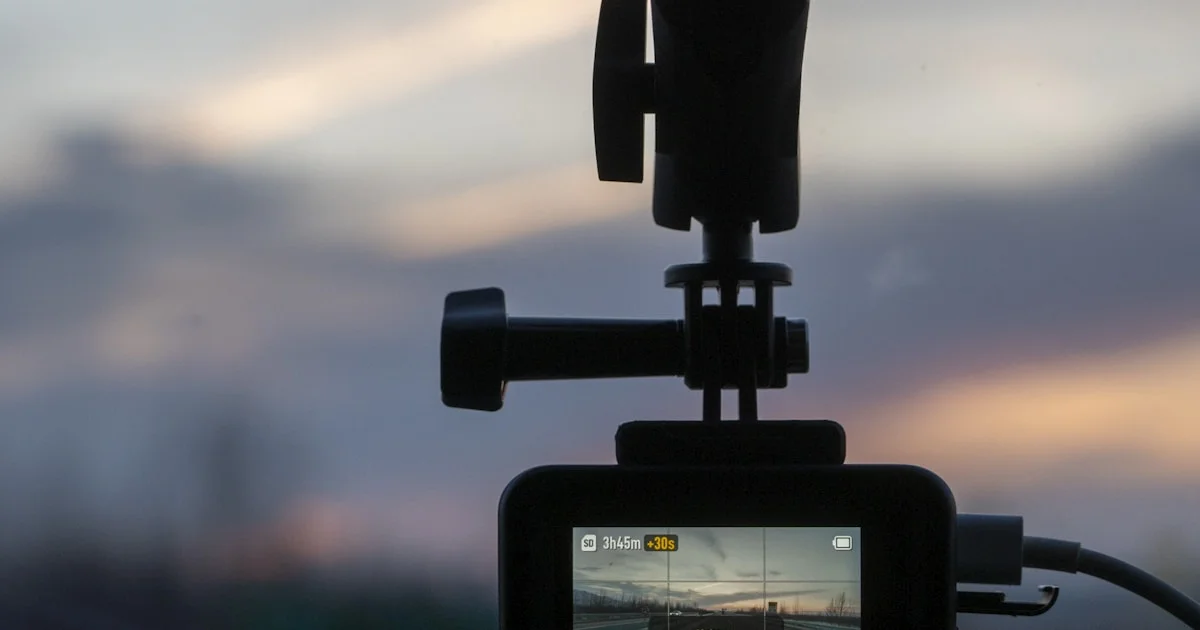
A fender bender, a parking lot scrape, or a driver who runs a red light and blames you — a dash cam is the one piece of evidence that settles the argument. The best budget dash cam for cars doesn’t need to cost $200 anymore; several solid options now sit well under $100 and still cover the basics well. This guide walks through what actually matters, what you get at each price, and which models are worth your money in 2026.
Key Takeaways
- You don’t need to spend $150+ for reliable dash cam footage — several models under $100 now cover front, rear, or even cabin views.
- Night vision quality varies a lot between budget cams; look for models with newer sensors rather than just a “night mode” marketing claim.
- Built-in storage or a bundled microSD card matters, since many budget cams skip one or the other to hit a lower price.
- Parking mode (recording while the car is off) usually needs a hardwire kit, which is often sold separately.
- GPS logging adds real value for insurance claims by timestamping your speed and route, not just the video.
Best Budget Dash Cam for Cars in 2026
The short answer: for most drivers, a dash cam in the $50–$95 range from a known brand covers what you actually need — clear daytime and nighttime footage, a wide field of view, and an app to pull clips off quickly. Spending more mainly buys you dual-channel (front and rear) coverage, larger built-in storage, or sharper 4K footage instead of standard 1080p or 1440p. Very few drivers need the fleet-grade features found on $130+ models, so don’t over-buy unless you’re covering a rideshare or delivery vehicle.
What to Look for in an Affordable Front and Rear Dash Camera
Not every budget cam needs to be a single-lens model. An affordable front and rear dash camera gives you a rear-view record too, which matters more than most drivers expect — rear-end collisions and parking lot disputes are common, and a front-only camera misses both.
The specs that actually matter
- Resolution: 1080p is the practical minimum for reading license plates; 4K helps in low light and at highway speed.
- Field of view: Look for 140–170 degrees — wider catches more of an intersection, but can slightly distort the edges of the frame.
- Storage: Built-in storage (32–64GB) is convenient, but a microSD slot supporting 256GB cards gives you more headroom for loop recording.
- Mounting: A suction or adhesive mount that’s easy to remove and reposition beats one that’s fiddly to adjust.
Cheap Dash Cam with Night Vision: Which Ones Actually Deliver
Marketing claims about night vision are easy to make and hard to verify, so a cheap dash cam with night vision is worth researching before you buy rather than trusting the box copy. Below is how several well-reviewed budget and mid-range models compare on the features that matter most for everyday driving.
| Model | Best for | Trade-off |
|---|---|---|
| 70mai M200 | Tightest budget, still has a modern sensor for night clarity | Single-channel only, fewer extras |
| Galphi M2 | Triple-channel coverage (front, cabin, rear) on a budget | Parking surveillance needs a hardwire kit |
| Kingslim D5 | True 4K footage and GPS logging | Higher-resolution files eat storage faster |
| Vantrue E1 Lite | Compact size that’s easy to hide behind the mirror | Smaller lens than some 4K competitors |
| Rexing V1 | Built for temperature extremes (supercapacitor, not battery) | Bulkier housing than the compact options |

Best Value Car Camera Under $50 vs Spending a Little More
If you’re set on a best value car camera under 50 price ceiling, you can still get a usable single-channel dash cam with decent night performance — the 70mai M200 is the clearest example, priced under $50 with a newer-generation sensor. Here’s how the trade-offs break down as you move up in price.
- Under $50: Single-channel, 1080p–1440p, decent night vision, basic loop recording. Good enough for most first-time buyers.
- $50–$90: Often adds a second channel (front + rear or front + cabin), better night sensors, and GPS logging.
- $90–$130: True 4K on at least one channel, larger built-in storage, and sometimes faster WiFi for pulling clips to your phone.
A few setup tips that make any of these work better:
- Format your microSD card in the camera itself before first use, not on your computer.
- Angle the lens slightly below the horizon line so you capture the road and license plates, not mostly sky.
- Test parking mode sensitivity after installation — too sensitive and it’ll fill your card with false triggers from nearby foot traffic.
Installation and Setup Tips
Most budget dash cams mount with either a suction cup or an adhesive pad on the windshield, just below the rearview mirror so it doesn’t block your view or trigger a state inspection issue. Run the power cable along the headliner and down the A-pillar to keep it out of sight — most cams include cable clips for this. If you want parking mode, budget for a separate hardwire kit (usually $15–$25) that taps into a fuse and includes low-voltage protection so it doesn’t drain your car battery overnight.
Frequently Asked Questions
Here’s what drivers ask most often when shopping for their first budget dash cam.
Do I need a front and rear dash cam, or is front-only enough?
Front-only covers the most common accident type, but a rear channel is worth the extra cost if you drive in heavy traffic or park in tight lots often, since it protects you in rear-end and reversing incidents too.
How much microSD card do I actually need?
A 128GB card is a solid middle ground for most 1080p–1440p cameras, giving you several days of loop-recorded footage before older clips get overwritten. 4K cameras fill cards faster, so consider 256GB if you’re shooting at that resolution.
Will a dash cam actually help with an insurance claim?
Yes — most insurers accept dash cam footage as supporting evidence, and some even offer small discounts for having one installed. GPS-logging models add extra credibility by timestamping your speed and location alongside the video.
Is a hardwired parking mode worth the extra cost?
If you park on the street or in shared lots, yes — most parking-lot dings and hit-and-runs happen while the car is off, and only a hardwired setup can capture that. If you always park in a private garage, it’s less essential.
What’s the difference between a dash cam and just using my phone?
A dedicated dash cam runs continuously and automatically, with loop recording that overwrites old footage so you never have to think about it. Your phone can technically record video too, but it drains your battery fast, takes up storage you probably want for other things, and won’t survive a hot car on a summer day the way a purpose-built cam can.
The Bottom Line
You don’t need to spend a lot to get real protection on the road. Pick a resolution and channel count that match how and where you drive, budget a little extra for a hardwire kit if you want parking mode, and you’ll have solid footage waiting the one time you actually need it.


