

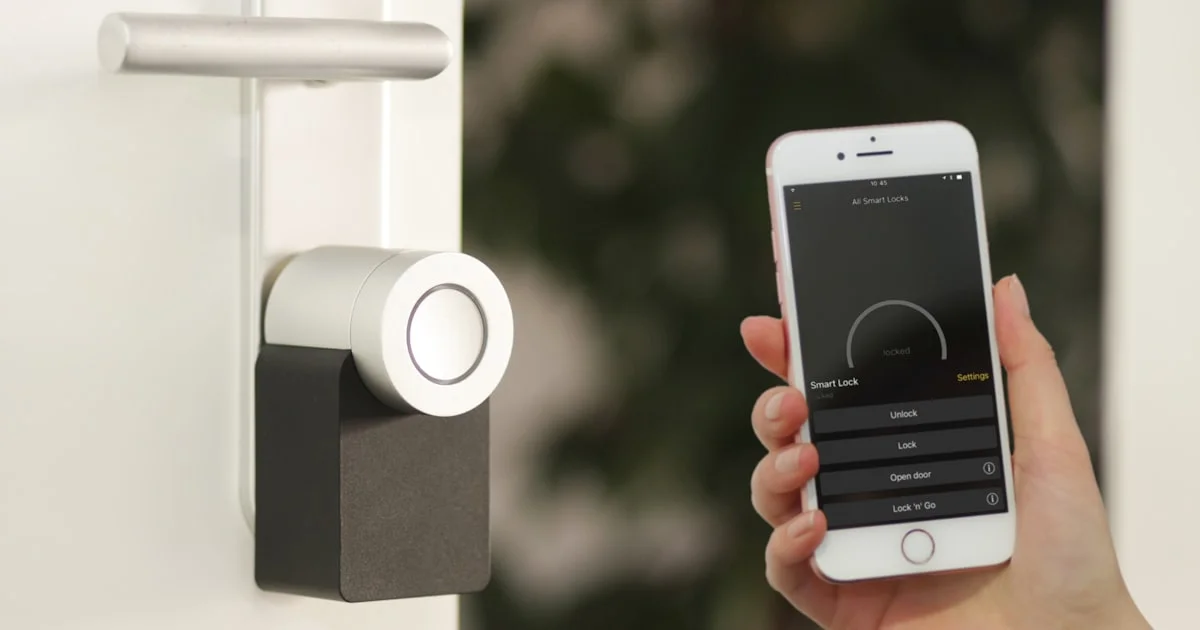
Front door break-ins often start with a weak lock, not a broken window. A smart lock for home security gives you a stronger, smarter way to guard your front door. It lets you lock up from your phone, share access with family, and see who came and went, all without a spare key hidden under the mat.
Key Takeaways
- A smart lock for home security adds remote locking, activity logs, and guest codes that a standard deadbolt cannot offer.
- Most smart locks still work like a normal deadbolt if the battery dies or the app goes down, so you are not locked out.
- A keyless smart door lock removes the need for a physical key, using codes, fingerprints, or your phone instead.
- The best smart home hub choice depends on the voice assistant and other devices you already use at home.
- Installation type, connectivity, and daily ease of use matter more than any single spec when picking a lock.
Why a Smart Lock for Home Security Makes Sense
The short answer: a smart lock for home security gives you more control over who enters your home, and it does this without making your door harder to use. You get real-time alerts, temporary codes for guests, and a lock that you can check from anywhere.
Traditional deadbolts only tell you one thing: locked or unlocked, and only when you are standing right in front of them. A smart lock adds a layer of awareness. If your teenager gets home from school, you can see it on your phone. If a dog walker needs entry only on Tuesdays, you can set a code that works only then.
Home security is not just about stopping break-ins. It is also about peace of mind. Knowing your door locked itself after you left for work removes one more thing to worry about during a busy morning.
Smart Lock vs Traditional Lock: What Actually Changes
A smart lock vs traditional lock comparison usually comes down to control, convenience, and cost. Both can keep your home secure. The difference is in how much flexibility you get day to day.
Security Differences
A traditional lock depends on a physical key. If that key gets copied or lost, you have to change the locks. A smart lock can remove a single user’s access in seconds, right from an app, with no locksmith needed. Many models also log every lock and unlock event, so you know exactly when your door was used.
Convenience and Daily Use
With a traditional lock, everyone who needs entry needs a key. With a smart lock, you can hand out temporary codes instead. This is useful for house cleaners, contractors, or house sitters who only need access for a short time. No more wondering if you will get your spare key back.
That said, traditional locks are simple and do not rely on batteries, apps, or Wi-Fi. Some homeowners like that simplicity, especially as a backup option paired with a smart lock on the same door.
Keyless Smart Door Lock Options Explained
A keyless smart door lock replaces or supplements your metal key with a digital way to get in. There are a few common entry methods, and most locks support more than one at once.
- Keypad entry: you type a numeric code on the lock itself, no phone needed.
- App-based unlock: your smartphone acts as the key over Bluetooth or Wi-Fi.
- Fingerprint scanning: the lock reads your fingerprint for instant entry.
- Auto-unlock: the door unlocks automatically as your phone approaches, using location tracking.
- Voice control: paired with a smart speaker, you can lock or unlock with a spoken command.
Most keyless smart door locks still include a physical key override. That backup matters if your phone dies, the power goes out, or the lock’s battery runs low before you notice.
Finding the Best Smart Home Hub for Your Lock
Choosing the best smart home hub is about matching your lock to the rest of your smart home, not just picking the most popular brand. A hub connects your lock to voice assistants, sends alerts to your phone, and can trigger routines, like turning on the porch light when the door unlocks at night.

What to Check Before You Buy a Hub
Not every smart lock needs a separate hub. Some connect straight to your home Wi-Fi. Others rely on Bluetooth alone and only offer remote access once paired with a hub. Before choosing a hub, check three things:
- Compatibility with your specific lock brand and model.
- Support for the voice assistant you already use at home.
- Whether it works with other devices, like cameras or smart lights, that you plan to add later.
A hub that plays nicely with your existing devices will save you from juggling multiple apps just to manage one front door.
How to Choose the Right Smart Lock
With so many options, picking the right lock can feel overwhelming. The table below compares common smart lock types on the factors that matter most for everyday use, not on price, since costs shift often and vary by retailer.
| Lock Type | Installation | Connectivity | Best For | Trade-Off |
|---|---|---|---|---|
| Retrofit smart deadbolt | Replaces interior lock parts, keeps existing exterior cylinder | Bluetooth, some Wi-Fi | Renters and quick upgrades | Limited smart features compared to full replacements |
| Full smart deadbolt | Replaces entire lock, DIY-friendly with basic tools | Wi-Fi and/or Bluetooth, hub optional | Homeowners wanting full remote control | Higher upfront setup effort |
| Keypad-only lock | Standard deadbolt swap | Usually offline or Bluetooth only | Simplicity without an app | No remote access without added hardware |
| Lever-style smart lock | Replaces door lever, common on interior or side doors | Bluetooth or Wi-Fi | Secondary doors and accessibility needs | Fewer models built for exterior use |
Once you know which type fits your door, follow these steps to narrow down your final choice:
- Measure your door and check what lock types fit your current door prep.
- Decide if you want a hub-connected lock or one that works over Bluetooth alone.
- Pick your preferred entry methods, such as a keypad, fingerprint, or app unlock.
- Confirm the lock has a physical key override for backup access.
- Check that it works with your existing smart home hub or voice assistant, if you have one.
- Read the manufacturer’s install guide before buying, so setup does not surprise you.
Frequently Asked Questions
Here are quick answers to the questions homeowners ask most often before switching to a smart lock.
Is a smart lock actually more secure than a regular deadbolt?
A quality smart lock can match or beat a traditional deadbolt on physical security, since many use the same lock body and bolt strength. The added security comes from features a regular lock cannot offer, like instant access removal and entry alerts.
What happens if the power goes out or the battery dies?
Most smart locks run on standard batteries, not home power, so a blackout will not lock you out. When the battery runs low, the lock usually warns you through the app or a low-battery light well before it stops working, and a physical key backup covers the rest.
Do I need a smart home hub to use a smart lock?
Not always. Many locks connect directly over Wi-Fi or Bluetooth for basic use. A hub becomes useful when you want to lock or unlock from outside Bluetooth range, or when you want your lock to work with other smart home devices.
Can I install a smart lock myself?
Most smart locks are built for DIY installation and fit standard door prep, so a screwdriver and about twenty minutes are usually enough. If your door has an unusual size or shape, it is worth checking the fit guide before you buy.
Final Thoughts on Smart Lock Security
A smart lock for home security is one of the simplest upgrades you can make to your front door. It keeps the basic job of a lock, keeping your home secure, while adding control, alerts, and flexibility that a traditional key never could. Start by matching a lock type to your door, then build out hub and voice assistant support as your smart home grows.


4 Comments
Comments are closed.