

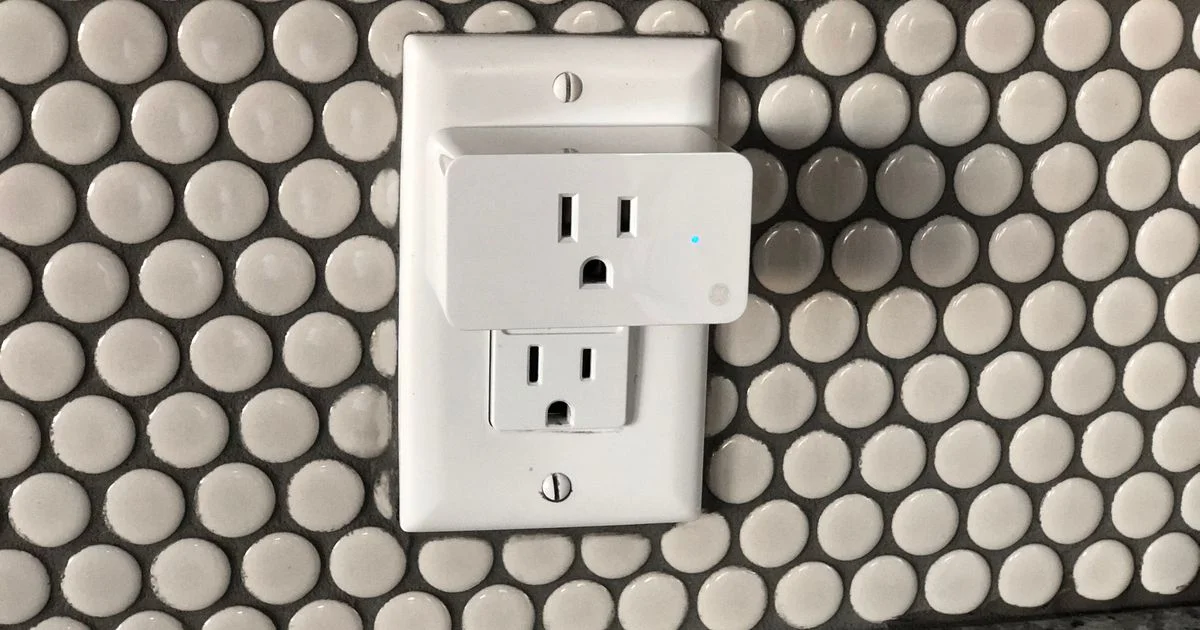
Turning a regular lamp or window fan into something your phone can control usually starts with the cheapest smart home device there is. A smart plug for home automation costs less than a couple of coffees and plugs straight into an outlet you already have — but a few real features separate the ones worth buying from the ones you’ll unplug and forget about.
Key Takeaways
- Every tier of smart plug does the basic job — app on/off and scheduling — equally well.
- Energy monitoring is the one upgrade that can actually save you money, not just add convenience.
- Matter certification future-proofs a plug across Alexa, Google Home, and Apple Home without picking a side.
- A smart plug controls anything that plugs in; a hardwired ceiling light or fan needs a smart switch instead.
- Cheap plugs fail most often on Wi-Fi reliability and app support, not on the basic switching function.
Best Smart Plug for Home Automation: The Short Answer
The short answer: a basic, no-hub smart plug from a name-brand maker covers almost everyone’s actual use case — turning lamps, fans, and holiday lights on a schedule or from your phone. Pay extra only for energy monitoring if you specifically want to track what a device costs to run, or for Matter certification if you’re not sure which smart home ecosystem you’ll end up using.
What You Get at Each Price Tier
Smart plugs split into three tiers, and unlike a lot of gadgets, the cheapest tier still does the core job well.
Entry-level plugs are hub-free, connect over 2.4GHz Wi-Fi, and support basic scheduling plus voice control through Alexa or Google Assistant. Some track how long a device has run, but not how much power it actually drew. Build quality is plastic and compact, though a few cheap models are bulky enough to block the outlet next to them.
Mid-range plugs add real energy monitoring — actual wattage and a running cost estimate, not just an on/off timer — plus wider assistant support that usually includes Siri and Apple Home alongside Alexa and Google. Two-factor authentication on the app becomes common at this tier, which matters more than it sounds like for a device that can turn things on in an empty house.
Premium plugs add Matter certification, meaning the plug isn’t locked into one company’s app or ecosystem — it can join Alexa, Google Home, and Apple Home at the same time through a shared standard. Some Matter plugs use Thread instead of Wi-Fi, which needs a compatible hub or border router but improves reliability on a crowded home network.
| Tier | Best for | Where it falls short |
|---|---|---|
| Entry-level (no hub) | Lamps, fans, holiday lights on a schedule | No real energy monitoring, weaker app security |
| Mid-range (energy monitoring) | Tracking what a specific device costs to run | Still single-ecosystem in some cases |
| Premium (Matter-certified) | Households mixing Alexa, Google, and Apple devices | Thread models need a compatible hub |
Smart Plug Energy Monitoring: Is It Worth Paying For
Real smart plug energy monitoring is the rare smart home upgrade that can pay for itself. Instead of a rough runtime log, a monitoring plug reports actual watts drawn and estimates a running cost, which is genuinely useful for two situations: identifying which “always-on” device — an old space heater, a gaming PC, a second fridge — is quietly driving up a power bill, and confirming that a device is actually off, not just idle in standby.
For a single lamp or phone charger, the feature changes almost nothing you’ll notice day to day. It earns its keep specifically on higher-draw devices you’re curious or worried about, and does nothing useful on low-power electronics that barely register a cost either way.

Smart Plug vs. Smart Switch: Which One You Actually Need
A smart plug and a smart switch solve two different problems, and mixing them up is the most common overspend in this category. A plug sits between an outlet and a lamp cord — nothing gets installed, and it moves with you if you rent or relocate the device. A switch replaces the wall switch itself and wires directly into a hardwired fixture, which means an electrician or a confident DIYer, but it also controls things a plug never can.
Three signs you need a switch instead of a plug:
- The device is hardwired — a ceiling light, a bathroom fan, or an overhead fixture with no visible cord to intercept.
- You want the physical wall switch to keep working normally for anyone in the house who doesn’t use the app.
- You’re controlling a ceiling fan or a dimmable light, which most basic plugs aren’t rated or designed to handle safely.
If what you’re automating has a plug on the end of its cord, a smart plug is the cheaper, faster, better-value choice every time.
Where a Cheap Smart Plug Genuinely Falls Short
Buying the least expensive plug on the shelf does cost you in a few specific, predictable ways:
- Wi-Fi that drops from the app’s device list after a router reboot or firmware update, requiring a manual re-pair.
- No two-factor authentication on the account, which matters more than people expect for a device that can trigger physically in your home.
- A physical size that blocks the second outlet on a duplex wall plate, forcing an extension cord you didn’t plan for.
- App support that quietly ends a few years in, turning a working plug into a dumb one when the servers go away.
None of this makes the cheapest tier a bad buy for a simple lamp timer. It just means the first thing worth checking, before wattage or design, is how long the brand has supported its own app.
WiFi Smart Plug Comparison: Matter, Hubs, and App Control
Run a real WiFi smart plug comparison across ecosystems and the practical differences come down to three questions: does it need a hub, which voice assistants does it support natively, and how good is the app controlled outlet experience day to day — scheduling that actually triggers on time, and a widget you can tap without opening the full app. Matter solves the ecosystem-lock-in question specifically; it doesn’t automatically make a plug more reliable, since a poorly implemented Matter plug can still drop off Wi-Fi as often as a budget one.
Frequently Asked Questions
A few questions come up constantly when people buy their first smart plug.
Do I need a hub for a smart plug to work?
Most Wi-Fi smart plugs are hub-free and connect straight to your home network. Some newer Matter-over-Thread plugs need a compatible hub or border router, which is worth checking before buying if you don’t already own a smart speaker or hub device.
Can a smart plug control a ceiling fan or overhead light?
Only if the fixture already has an accessible plug — most hardwired ceiling fans and lights don’t, and need a smart switch or a smart fan controller instead, not a plug.
Is energy monitoring accurate enough to trust for budgeting?
It’s accurate enough to spot patterns and compare devices against each other, but treat the dollar estimate as a reasonable approximation rather than a bill-accurate number, since it depends on your actual utility rate.
Will a smart plug work if my Wi-Fi goes down?
No — cloud-connected plugs need an internet connection for app control and voice commands. Some support a physical button on the plug itself as a manual backup when the network is down.
Conclusion
The best smart plug for home automation is the cheapest one from a brand that still supports its app a few years from now — energy monitoring and Matter are worth paying for only when you have a specific reason to use them. Match the plug to the outlet you’re actually automating, not the fanciest spec sheet in the aisle.


1 Comment
Comments are closed.