

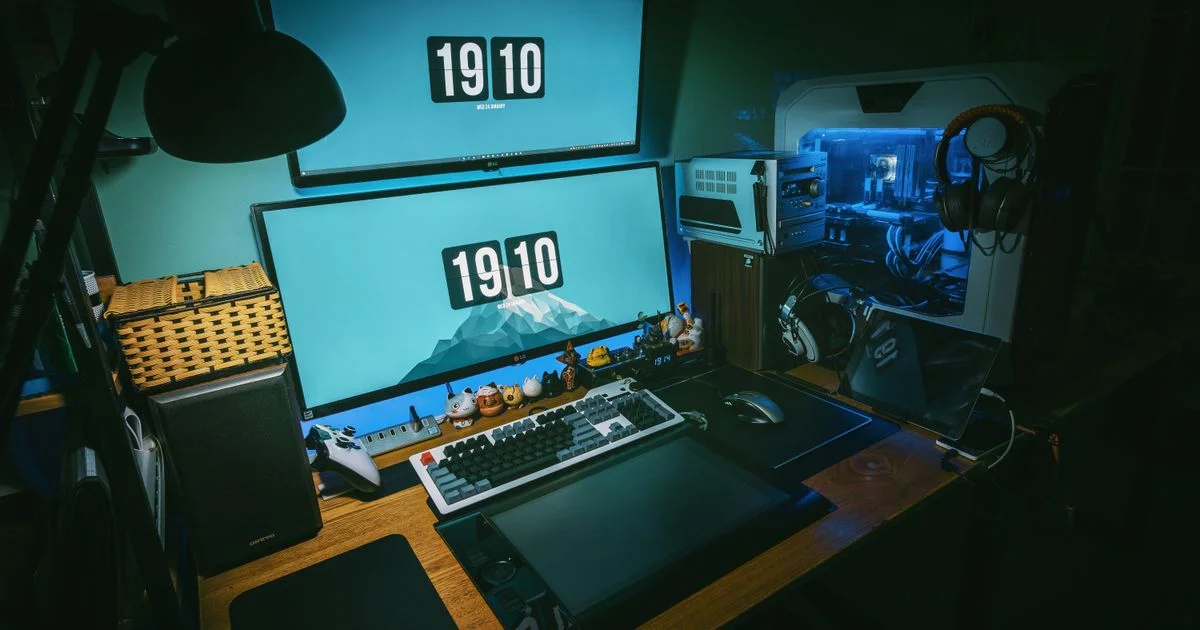
Desk listings for gamers are written to sell a look: tempered glass, a carbon-fiber wrap, a light strip along the front edge. Almost none of that survives contact with a real setup, where the thing that actually annoys you every day is the nest of power bricks under your knees. A gaming desk with cable management is worth paying for, but only the parts of it that are structural — and those are rarely the parts the product photo is selling.
Key Takeaways
- Depth and weight rating are the two specs that decide whether a desk lasts; both are cheap to get right and expensive to fix later.
- Cable management is either a real tray that fits a power strip, or it is a sticker on the box.
- RGB lighting, cup holders, headset hooks and carbon-fiber texture add cost and change nothing about how the desk works.
- A surface thinner than about an inch is where buying cheap genuinely costs you — it sags, and monitor-arm clamps can crack it.
- Spend on the frame and the top. Spend on organizing cables second, because a bag of clips and a cheap tray fix most of it.
What a gaming desk with cable management is actually worth
The short answer: pay for depth, a steel frame and a surface you can clamp to, then treat cable management as a feature you can add yourself for very little if the desk does not include it. The desks that disappoint people are almost never the ones missing a light strip. They are the ones that are too shallow, or that flex when you lean on them.
Depth is the specification most worth arguing about. A working minimum is 27 to 30 inches, and desks under 24 inches deep push monitors close enough to cause eye strain. You cannot add depth after the fact. You can add a cable tray in ten minutes.
What you get at each price tier
Gaming desks sort into three fairly honest bands, and the jump that matters most is the first one.
- Entry-level. Thin engineered-wood top, a light frame, often a Z-frame or X-frame chosen for looks. Fine for a single monitor and a console. Expect wobble on carpet, and expect the surface to be too thin for a clamped monitor arm.
- Mid-range. This is where the money does the most work. A powder-coated steel T-frame or four-leg design, a surface around an inch thick, grommets in the top and usually a real under-desk tray. Weight ratings here cover a dual-monitor setup and a tower.
- Premium. Motorized sit-stand frames, solid wood or thicker laminate tops, triple-monitor widths and higher load ratings. Genuinely better, but the daily improvement over a good fixed mid-range desk is smaller than the price gap suggests unless you actually stand up.
Features that cost a lot and change little
A short list of things that reliably inflate a desk’s price without improving it:
- RGB lighting and LED edge strips. Cosmetic. A separate light strip costs a fraction of the premium a desk charges for one built in, and you can move it to your next desk.
- Carbon-fiber texture. A printed vinyl finish. It does not change durability.
- Cup holders and headset hooks. Nice, but they are a hook and a plastic cup. Both are add-ons that cost almost nothing separately.
- Tempered glass tops. Glass scratches easily and is fragile under heavy use, which makes it the worst surface in the category for a desk holding a tower and three monitors.
- Single-motor standing frames. The cheapest way onto the sit-stand ladder, and the one that is slower, louder and more likely to fail than a dual-motor frame.
Cable management on the box versus cable management that works
The useful test is blunt: can the tray fit a full power strip and a bundle of thick cables side by side? If not, the cable management is decorative. Most desks that advertise the feature are offering one of four things, and only two of them earn any money.

Grommets — the holes cut through the desktop — are worth having built in, because cutting one yourself is the one job that is genuinely awkward after the fact. A wide under-desk tray is worth having if it is wide enough to be real. Spine clips and channels along the frame leg are pleasant. Velcro straps and a bag of adhesive clips, which is what most of these systems amount to, cost so little separately that they should never be a reason to pick one desk over another.
Where a cheap gaming desk genuinely costs you later
This is the honest other half of buying on value. Three failures repeat:
The first is surface thickness. A top thinner than roughly an inch will develop a visible dip in the middle under a monitor and a tower, and it may crack around a monitor-arm clamp. Since a monitor arm is one of the better upgrades for a small room, a desk you cannot clamp to quietly blocks a future improvement.
The second is the weight rating, which people skip because it sounds like a formality. A single monitor and a tower want something in the region of 100 to 150 pounds of rated capacity. Dual monitors with peripherals push that to 150 to 200. A triple-monitor or streaming rig wants 250 to 300 or more. A desk rated well under what you are putting on it does not collapse; it sags and wobbles, which is worse because you live with it.
The third is frame geometry. T-frame and four-leg designs reduce surface flex under load. Z-frames and X-frames are chosen for how they look and are more prone to tabletop flex. On a hard floor you may never notice. On carpet, with an elbow on the edge, you will.
Compact gaming desk: what shrinking actually costs
A compact gaming desk is a reasonable choice, and most gaming table setup ideas for small rooms come down to giving up width rather than depth. Width scales with monitors: roughly 47 to 55 inches suits a single display, 55 to 63 inches a dual setup, and 63 to 71 inches or more an ultrawide or triple arrangement. Those are comfortable numbers, not hard limits, and the narrow end of each band is where the savings are.
Depth is the dimension not to trade. Below about 24 inches a desk is cramped, and the monitor ends up too close whatever you do with the stand. If the room forces a shallow desk, a monitor arm buys back a few inches by pushing the screen behind the rear edge — which circles back to needing a top thick enough to clamp.
Best desk for gaming PC: where the tower goes
Deciding on the best desk for gaming PC use is mostly deciding where the tower sits, because that choice drives the weight rating, the cable run and the amount of floor you keep. Standing the tower on the desktop looks good and eats depth. Putting it on the floor is free but exposes the intake filters to dust and pet hair. Hanging it from an under-desk mount keeps the floor clear and is the option most dependent on the desk’s build, since the mount bolts into the underside.
| Option | Best for | The trade-off |
|---|---|---|
| Tower on the desk | Showing off a glass-panel build; short cable runs | Eats usable depth and raises the load on the top |
| Tower on the floor | Any desk, no extra hardware, lowest cost | Dust and hair pulled into the intakes; cables sprawl |
| Under-desk mount | Small rooms; keeping the floor clear for cleaning | Needs a thick top and a solid frame; another purchase |
| Dedicated PC shelf on the frame | Standing desks, where the tower must travel with the top | Usually frame-specific, so it locks you to that desk |
If you use a sit-stand frame, the tower has to move with the desk or you need enough cable slack for the full travel. That detail is the most common reason people discover their standing desk only goes half way up.
Frequently Asked Questions
The questions that come up most once someone has decided roughly what to spend.
Is a gaming desk actually different from a normal desk?
Mostly in width, weight rating and the cable features. A deep, sturdy office desk with a steel frame does the same job, and often costs less because it is not paying for the styling.
Is a standing desk worth the extra money for gaming?
Only if you will use it. If you do, pay for a dual-motor frame rather than buying the cheapest sit-stand you can find — a wobbly desk at full height is a desk you stop raising.
Can I add cable management to a desk that has none?
Yes, and cheaply. A clamp-on or screw-in tray, a sleeve for the monitor cables and a strip of adhesive clips handle nearly everything. The only awkward retrofit is a grommet hole, which needs a hole saw.
Does desk surface material change how a mouse tracks?
Not if you use a mousepad, and you should — a full desk mat also protects a thinner top from wear at the edge where your forearm rests.
The bottom line
Buy depth, a steel frame and a top you can clamp a monitor arm to, then check that the advertised cable tray is big enough to hold a power strip. Everything else on the spec sheet is either something you can add for very little or something that only changes how the desk photographs.


3 Comments
Comments are closed.