

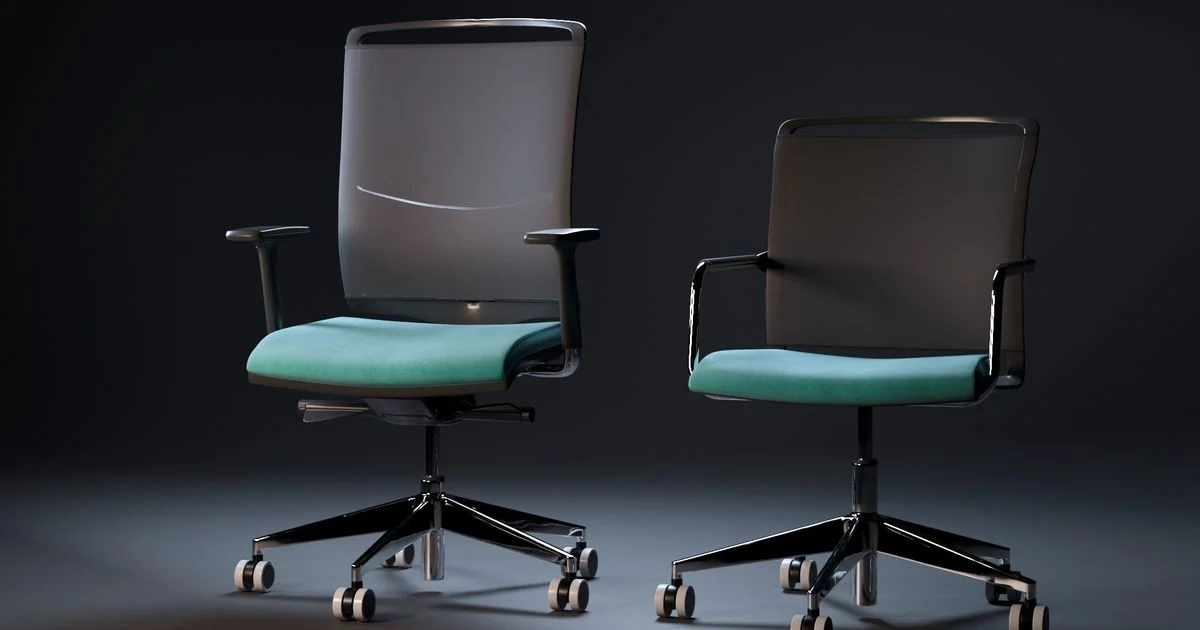
If your lower back aches by 3 p.m. every workday, the chair under you is probably part of the problem. An ergonomic office chair for back pain is not defined by how expensive it looks — it comes down to a handful of adjustments that either match your spine or fight it for eight hours a day. This guide breaks down which features actually matter, which ones are marketing filler, and how to fit a chair to your body instead of the other way around.
Key Takeaways
- Adjustable lumbar support that moves vertically to match your lower back curve matters more than any other single feature.
- A 100–110 degree recline reduces spinal disc pressure compared to sitting bolt upright at 90 degrees, per Cornell University ergonomics research.
- Correct seat depth leaves about two to three finger-widths between the front edge of the seat and the back of your knees.
- Mesh and foam seats both work fine for back support — the lumbar adjustment matters far more than the material.
- Mid-range chairs with adjustable lumbar can match premium models on back-pain relief even without matching every luxury feature.
What Makes an Ergonomic Office Chair for Back Pain Actually Work
The short answer: the chairs that genuinely help with back pain all share one trait — lumbar support that adjusts to your specific spine, not a fixed foam bump that assumes everyone’s lower back curves the same way. Everything else, from mesh weave to armrest count, is secondary to getting that one adjustment right.
Why Fixed Lumbar Bumps Can Make Pain Worse
A built-in lumbar bump that does not move can actually worsen pain if it presses against the wrong part of your back. Ergonomics guidance is consistent on this point: adjustable lumbar support, one that shifts up, down, and sometimes in firmness, is close to non-negotiable for anyone buying a chair specifically for back pain relief.
Lumbar Support: The Feature That Matters Most
Premium chairs illustrate what “good” lumbar support looks like in practice. The Steelcase Leap uses what the company calls “LiveBack” technology, which flexes as you move and offers separate height and firmness adjustment, so you can control exactly how forcefully the support presses into your lower back. The Herman Miller Aeron takes a different approach with “PostureFit SL,” which supports both the sacrum and the lumbar region rather than just one point. Newer entries like the Sihoo Doro C300 go further with self-adjusting lumbar support that reshapes automatically as you recline, removing the need to manually readjust it throughout the day.
You do not need a four-figure chair to get this feature. Mid-range options such as the Branch Ergonomic Chair include adjustable lumbar support at a fraction of the cost of the chairs above — the mechanism matters more than the brand name attached to it.
Seat Depth and Recline: The Numbers That Matter

Seat depth is easy to check without any tools: sit all the way back against the chair’s backrest, and you should have roughly two to three finger-widths of space between the front edge of the seat and the back of your knees. Too little space cuts off circulation behind the knee; too much space means your lower back loses contact with the lumbar support entirely.
Recline angle is the other number worth knowing. Cornell University ergonomics research supports reclining to somewhere between 100 and 110 degrees rather than sitting rigidly upright at 90 degrees, since the slight backward lean measurably reduces pressure on spinal discs over a full workday. A chair with a locking recline range, rather than one fixed angle, lets you find that sweet spot and stay there.
Mesh vs. Foam: Does Material Actually Matter?
Mesh chairs, like the Herman Miller Aeron, are prized for breathability and even weight distribution across the back and seat. Foam seats, by contrast, tend to offer firmer thigh support and can hold their shape differently over years of daily use. For back pain specifically, material choice matters less than most shoppers assume — either mesh or foam works fine as long as the chair’s lumbar support is adjustable and actually reaches your lower back. Do not let a mesh-vs-foam debate distract from the adjustment mechanisms that do the real work.
Budget Ergonomic Chair Comparison: What Changes at Each Price Tier
A budget ergonomic chair comparison across price tiers usually comes down to how many adjustment points you get, not whether the chair “looks” ergonomic. Entry-level chairs typically offer fixed or minimally adjustable lumbar support and a basic recline lock. Mid-range chairs add height- and depth-adjustable lumbar support, adjustable armrests, and a wider recline range. Premium chairs layer on self-adjusting mechanisms, more granular tilt tension control, and materials engineered for multi-year durability under daily use.
Setting Up Your Chair Correctly
- Set seat height so your feet rest flat on the floor with knees at roughly a 90-degree angle.
- Adjust seat depth until you have two to three finger-widths of space behind your knees.
- Raise or lower the lumbar support until it sits directly against the curve of your lower back, not your mid-back.
- Set armrests so your shoulders stay relaxed and your elbows rest near a 90-degree angle at your keyboard.
- Recline to somewhere between 100 and 110 degrees and lock the tilt tension so the chair does not feel like it is fighting your movement.
Chair Types Compared
| Chair type | Best for | Trade-off |
|---|---|---|
| Entry-level ergonomic | Occasional desk use, tight budgets | Limited or fixed lumbar adjustment |
| Mid-range adjustable-lumbar | Full-time remote or hybrid workers | Fewer luxury materials, still solid support |
| Premium mesh (e.g., Aeron-style) | Long hours, warmer climates or offices | Highest price, less plush than foam |
| Premium foam with self-adjusting lumbar | Users who dislike manual readjustment | Heaviest and priciest option |
Frequently Asked Questions
These are the questions that come up most when people shop for a chair specifically to manage back pain.
Do I need a mesh chair, or is foam just as good for back pain?
Foam works just as well as mesh for back support. The material affects breathability and how the seat feels after a few years, but adjustable lumbar support is what actually relieves pain, regardless of which material the seat is made from.
What is the single most important feature for lower back pain?
Adjustable lumbar support that moves to match your specific spine curve. A chair without it, no matter how well-reviewed otherwise, is starting from a disadvantage for anyone with existing back pain.
Should I sit perfectly upright at my desk?
Not necessarily. Ergonomics research from Cornell University supports a slight recline of 100 to 110 degrees over a rigid 90-degree posture, since it reduces pressure on spinal discs during long periods of sitting.
Can a budget chair really compete with a premium one for back pain relief?
Yes, if it includes adjustable lumbar support. The self-adjusting mechanisms and premium materials on high-end chairs add comfort and convenience, but the core relief comes from correctly fitted lumbar support, which mid-range chairs increasingly include.
Conclusion
An ergonomic office chair for back pain does not need to be the priciest option in your cart — it needs adjustable lumbar support, a seat depth that fits your legs, and a recline range you will actually use. Get the fit right, and a mid-range chair can do as much for your back as a chair costing several times more.


3 Comments
Comments are closed.