

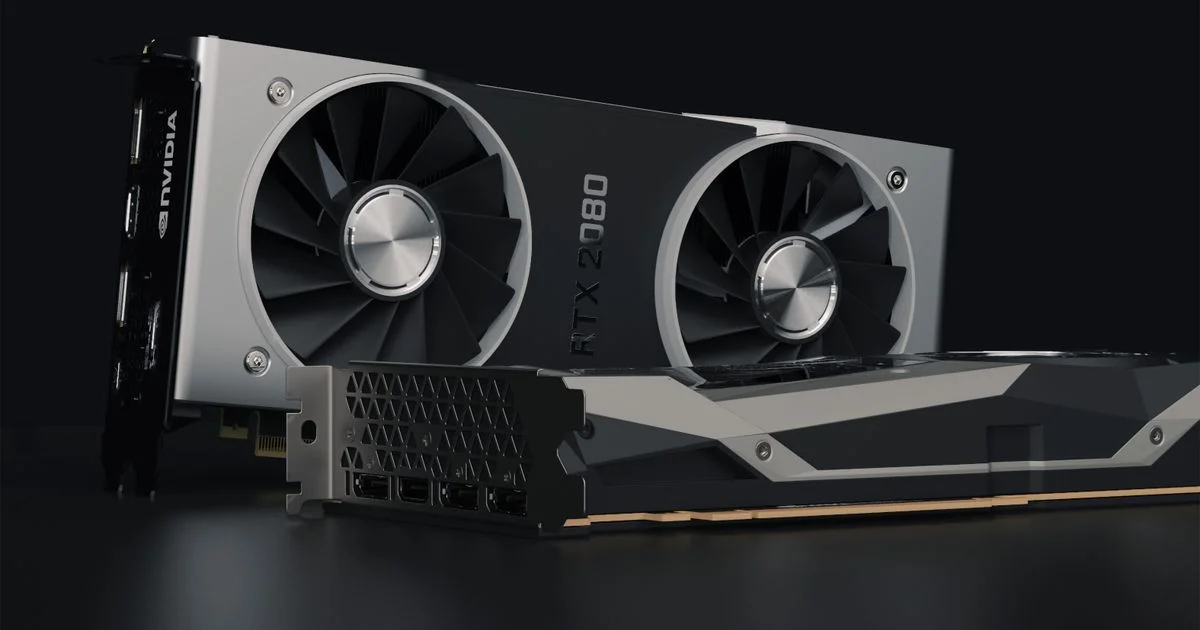
New GPU generations, memory shortages, and shifting street prices make budget shopping confusing this year. The graphics card for gaming under $300 search used to be simple — now it means knowing which cards still make sense as prices move around. This guide breaks down the real options, what you actually get at this price, and how to avoid overpaying for the wrong card.
Key Takeaways
- The Intel Arc B580 currently offers the most VRAM (12GB) in this price class, which matters more than raw speed for some newer games.
- Nvidia’s RTX 5060 and AMD’s RX 9060 XT both ship with 8GB of VRAM — fine for 1080p, tighter for 1440p or texture-heavy titles.
- A last-generation card like the RTX 4060 can be a smarter buy than a new-generation 8GB card if the price gap is small.
- 2026’s memory chip shortage has pushed retail GPU prices up and down fast, so “under $300” is a moving target — check current pricing before you buy.
- Match the card to your monitor’s resolution first; a $300 GPU paired with a 1440p or 4K display will bottleneck no matter how good the card is.
Best Graphics Card for Gaming Under $300 in 2026
The short answer: for most budget builders in 2026, the Intel Arc B580 is the strongest all-around pick near this price point, thanks to its 12GB of VRAM and solid 1080p performance, with Nvidia’s RTX 5060 and AMD’s RX 9060 XT as the main alternatives if you want DLSS support or AMD driver familiarity. None of these cards are exotic — they’re widely available, well-reviewed, and each one plays current games at 1080p without drama. The right pick depends on which games you play, whether ray tracing or upscaling matters to you, and how much VRAM headroom you want for the next couple of years.
How We Picked: A GPU Buying Guide for 2026
This gpu buying guide 2026 shoppers actually need focuses on four things: real-world 1080p gaming performance, VRAM capacity (since more games are using more of it), driver stability, and how each card is priced relative to its performance class rather than a single hard dollar figure. We looked at cards from Intel, Nvidia, and AMD’s current lineups, cross-checked their specs against manufacturer listings, and ruled out anything with a track record of driver problems or poor thermal design.
What “under $300” really means right now
2026 has been a rough year for GPU pricing. A memory chip shortage has driven VRAM costs up across the industry, and even entry-level cards have seen retail prices swing by more than 20% in a matter of weeks. That means a card that lists near $300 on one week can cost noticeably more the next, especially for newer 8GB cards in high demand. Treat every price mentioned online, including this guide, as a snapshot — always check current retailer pricing before you buy, and don’t assume last month’s deal is still available.
Cheap GPU Comparison: 2026’s Top Budget Picks
This cheap gpu comparison lines up the four cards worth considering in this bracket. Instead of stale prices, we’re comparing what each card is actually best at, since that matters more than a number that changes weekly.
| Card | VRAM | Best for | Trade-off |
|---|---|---|---|
| Intel Arc B580 | 12GB GDDR6 | VRAM-hungry games, 1080p and light 1440p | Driver maturity still catching up to Nvidia/AMD in some older titles |
| Nvidia RTX 5060 | 8GB GDDR7 | DLSS and ray tracing support, broad game compatibility | 8GB VRAM can feel tight in newer AAA titles at high settings |
| AMD RX 9060 XT (8GB) | 8GB GDDR6 | Solid 1080p rasterized performance, AMD ecosystem users | Ray tracing performance trails Nvidia’s equivalent tier |
| Nvidia RTX 4060 | 8GB GDDR6 | Buyers who want a proven, well-supported previous-gen card | Lower memory bandwidth than the newer options |

Budget Graphics Card Ranked by Use Case
There’s no single budget graphics card ranked list that fits everyone, because the right card depends on what you’re doing with it. Here’s how to think about it by scenario.
- Playing mostly esports titles (Valorant, CS2, Overwatch 2): Any of these four cards will run these games well past 100fps at 1080p — prioritize the cheapest option with good driver support.
- Playing recent AAA releases at 1080p high settings: Lean toward the Arc B580 or RTX 5060 for their newer architecture and upscaling support.
- Planning to upgrade your monitor to 1440p within a year: The Arc B580’s extra VRAM headroom will age better than an 8GB card.
- Building a first gaming PC on a tight budget: The RTX 4060 is the safest bet — mature drivers, wide compatibility, and consistent availability.
A few other things worth checking before you buy any of these:
- Confirm your power supply has enough wattage headroom (450W+ is a safe minimum for this class of card).
- Check your case has clearance — some of these cards run longer than older budget GPUs.
- Look at the specific board partner (ASUS, ZOTAC, etc.), since cooling and noise vary between versions of the same GPU chip.
Why GPU Prices Have Been Unpredictable in 2026
If you’ve shopped for a GPU any time this year, you’ve probably noticed prices don’t sit still. A shortage of the memory chips used in graphics cards has rippled through the entire market, pushing manufacturers to raise prices on both new and older cards. Entry-level and mid-range GPUs, the ones that used to reliably sit under $300, have been hit hardest because they have the least profit margin to absorb higher component costs.
What this means for your purchase
Set a price alert through a retailer or price-tracking tool rather than assuming a listed price will hold. If a card you want briefly climbs above your budget, it’s often worth waiting a week or two rather than settling for a worse card, since these markets have been moving in both directions. Buying refurbished or open-box from a reputable retailer can also stretch your budget further right now, since demand for new stock is unusually high.
Frequently Asked Questions
Here are the questions that come up most often when people are choosing a budget graphics card in 2026.
Is 8GB of VRAM enough for gaming in 2026?
For 1080p gaming at high settings, 8GB is still generally enough for most current titles. It becomes limiting in a handful of VRAM-heavy AAA games at maximum texture settings, or if you plan to game at 1440p. If you want more headroom, the 12GB Arc B580 is the safer long-term choice in this price class.
Should I buy a last-generation card or wait for something newer?
If a previous-generation card like the RTX 4060 is priced meaningfully lower than newer options and fits your performance needs, there’s no strong reason to wait. GPU generations typically bring modest gains at the low end, and a well-reviewed last-gen card remains a safe, proven choice.
Do these budget cards support ray tracing?
Yes, all four cards in this guide support ray tracing to some degree, but performance varies a lot. Nvidia’s RTX 5060 and RTX 4060 handle ray tracing better than the AMD and Intel options at this price point, largely thanks to more mature upscaling tools like DLSS.
Is it worth buying a used graphics card instead?
A used card from a reputable seller can be a smart way to stretch your budget, especially during a price spike. Stick to sellers with return policies, ask about usage history (mining or heavy rendering wears components faster), and avoid cards with no remaining warranty if you can help it.
The Bottom Line
Budget GPU shopping in 2026 rewards patience and a bit of flexibility more than it used to. The Intel Arc B580, RTX 5060, RX 9060 XT, and RTX 4060 each cover a slightly different need, so match the card to your resolution and the games you actually play rather than chasing the lowest listed price. Whichever you choose, double-check current pricing before checkout — this market moves fast.


1 Comment
Comments are closed.