

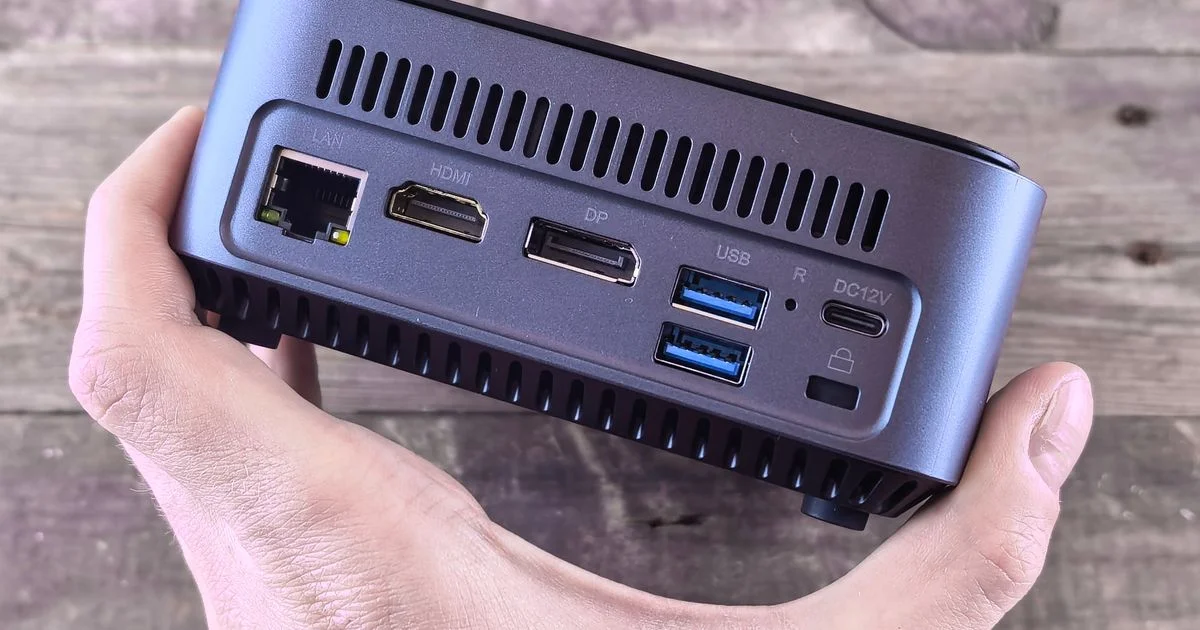
The standard repair for a compromised computer is to wipe the drive and reinstall the operating system. On one batch of budget mini PCs sold in late 2023, that did not work, because the problem had been written into the recovery image the reset restores from. Anyone asking is Acemagic mini PC worth it is really asking two separate questions — whether the hardware is a fair deal, and what the software that arrives on it is worth — and only the first one is on the spec sheet.
This is an independent editorial comparison. We are not affiliated with any brand mentioned, and no brand reviewed or approved this article.
Costed over three years, is Acemagic mini PC worth it?
ACEMAGIC is a Shenzhen manufacturer founded in 2013 that moved from assembling PCs into designing compact desktops and laptops, and sells largely through online marketplaces. That business model is the whole value proposition: the machines undercut established brands because there is no retail channel, no domestic support network and very little marketing between the factory and your desk.
Costed properly, a mini PC in this class is four things bundled at one price. There is the hardware, which is genuinely inexpensive for the performance. There is a Windows license, whose status is worth verifying rather than assuming. There is the factory software image, which is where the risk in this category lives. And there is support and firmware — driver updates, BIOS updates, a replacement power supply in year three — which is the line where a marketplace brand and a first-tier brand diverge most.
The first three arrive on day one. The fourth arrives slowly and is almost impossible to price at checkout, which is precisely why it is the one that determines whether the machine was a bargain. Separated out, the four lines behave very differently over three years:
- Hardware — genuinely cheap for the performance, and the part the listing is honest about.
- Operating system license — included in the price, and worth verifying rather than assuming.
- Factory software image — free, unaudited, and the line where this category’s known failures have happened.
- Firmware and support — invisible at checkout, unpriceable in advance, and the difference between a bargain and a false economy.
Where a cheap Acemagic mini PC is genuinely enough
It is worth saying plainly: for a large number of jobs, a cheap Acemagic mini PC is not a compromise at all. A machine that drives two monitors, runs a browser with thirty tabs, handles documents and spreadsheets, plays back video and sits silently behind a screen is doing everything most desks ask of a computer. The performance argument against budget mini PCs largely evaporated once integrated graphics became capable of multi-monitor output and solid-state storage became standard.
The cheaper alternatives worth pricing against it, in order of how often they actually win:
- The computer you already own, plus a solid-state drive and more memory. Frequently the cheapest real upgrade available, and it carries no software provenance question at all.
- An off-lease business desktop from a refurbisher. Larger and less elegant, but it arrives with a documented licensing chain and standardized parts.
- A first-tier brand’s own small-form-factor machine. More expensive, and what the premium buys is a support and firmware relationship rather than speed.
- A budget mini PC with the factory image replaced by a clean installation you perform yourself. This is the option that gets the hardware bargain without inheriting the software unknown.
What the Acemagic mini PC price does not cover
The Acemagic mini PC price covers the box, the power adapter and a preinstalled operating system. What it does not cover is the thing that goes wrong most often in this category, and the manufacturer’s own account of a 2024 incident is the clearest illustration available.
In a statement issued about the affair, ACEMAGIC said the presence of “the Bladabindi and Redline malware families in the ENDEV folder” stemmed from “software adjustments made by developers to reduce boot times, which inadvertently affected network settings and omitted digital signatures.” Its remedies were set out by manufacturing date rather than by model: “Full refunds and return shipping costs will be provided for products produced between September and November,” with customers who preferred to keep their machines offered “compensation of up to 25% of the order price” and “a minimum 10% brand discount after verification.” The statement referred to units “manufactured before November 18, 2023.”
Independent reporting in February 2024 named the AD08, AD15, S1 and AK1 among the affected models, traced the discovery to a reviewer working through an AD08, and recorded the detail that matters most for pricing: according to one buyer’s account, the malware had been written into the Windows recovery partition, so it survived a factory reset. A company representative told an affected customer that “the virus software issue has been resolved in the current stock product offering this issue will no longer be present in the current offerings as the one sent to you was the first shipment.”
Two things follow, and it is worth being even-handed about both. The company acknowledged the problem publicly and put a remedy in writing, which is more than many marketplace brands do. And the incident is a category lesson rather than a verdict on one firm: a factory image from any low-margin manufacturer is software of unverified provenance, and the cheapest fix for that — a reinstall — is exactly the fix that failed here.

Two checks that cost nothing before you keep a budget Acemagic mini PC
Whatever you paid, a budget Acemagic mini PC is worth ten minutes of verification in its first hour, and both checks are free.
The first is the label on the case. Any computer with Wi-Fi is a radio frequency device, and under 47 CFR 2.803 “No person may market a radio frequency device unless the radio frequency device is authorized pursuant to a valid FCC equipment authorization.” The rule defines marketing broadly: it “includes sale or lease, or offering for sale or lease, including advertising for sale or lease, or importation, shipment, or distribution for the purpose of selling or leasing or offering for sale or lease.” An authorized device carries an FCC Identifier, and 47 CFR 2.925 requires the nameplate to be “permanently affixed to the equipment and shall be readily visible to the purchaser at the time of purchase,” meaning “visible from the outside of the equipment enclosure,” with the data “etched, engraved, stamped, indelibly printed, or otherwise permanently marked.” The type size need not be larger than eight-point, so look closely at the underside. The identifier is public, and it can be searched.
The second is the Windows license, and Microsoft’s own activation documentation is unusually blunt about what activation proves. “Activation is a technical process that pairs the product key or digital entitlement with the hardware configuration of the device. This does not evaluate the authenticity of the copy itself, and it does not guarantee that the copy of Windows is genuine.” Microsoft describes a digital license as “a method of activation in Windows 11 that doesn’t require you to enter a product key,” and tells buyers of a preinstalled machine to “find your product key either on the device packaging or on the Certificate of Authenticity (COA) attached to your device.”
Put those together and the practical routine is short. Look for the FCC ID on the case. Look for a certificate or a documented license. And if the machine’s provenance matters to you at all, install the operating system yourself from media you made, rather than trusting the image the factory shipped — which also means backing up anything you care about first, something our guide to what free cloud storage actually covers is worth reading before you start.
What you get at each tier
| Tier | What the money buys | Who it genuinely suits | Where it costs you later |
|---|---|---|---|
| Entry | Marketplace mini PC, modest processor, preinstalled image, seller-handled support | Browsing, documents, media playback, a second machine, a small display driver | Firmware and driver updates that may never arrive, and a factory image you did not choose |
| Mid-range | Faster processor, more memory, better cooling, more display outputs, sometimes a clean image | Multi-monitor desks, light photo and video work, anyone who keeps a machine four years | Support that is still email-and-marketplace rather than a service network |
| Premium | A first-tier brand’s own small desktop, with published firmware schedules and warranty service | Anyone whose time is the expensive part, or who needs the machine documented for work | Considerably more money for hardware that is often no faster |
Where the money is genuinely wasted
The clearest waste in this category is buying a higher factory configuration when memory and storage are user-serviceable. A mini PC sold with double the memory at a large premium is frequently the same chassis with cheap parts in the slots, and doing it yourself is the single best-value move available.
Next is paying for processor performance you will not use. A machine driving a browser and two monitors is bound by memory and storage speed far more often than by the chip, and the upgrade money almost always does more in the other two places. Third is the accessory bundle — a keyboard, a mouse and a bag added to a cheap machine at a price that quietly removes the discount.
Where buying cheap genuinely costs you later is narrower but real, and it is not performance. It is the support relationship: a firmware update that never appears, a power adapter with no replacement path, and a factory software image you cannot audit. Those are the risks the low price is paying for, and the reinstall-it-yourself routine above is how you buy most of them back for nothing.
Frequently Asked Questions
Four questions come up more than any others, and each has an answer you can check rather than take on trust.
Are these machines still affected by the 2024 malware problem?
The manufacturer’s published statement tied it to units produced in a specific window in late 2023 and said current stock was not affected. The durable lesson is not about one batch: any factory image from a low-margin manufacturer is software you did not choose, and a clean installation removes the question entirely.
Does a factory reset remove preinstalled malware?
Not necessarily. A reset restores from the recovery image on the same drive, so anything written into that image comes back with it. That is exactly what was reported in this case, and it is why installing from your own media is the meaningful step.
How do I tell whether the Windows license is legitimate?
Not from the activation screen alone. Microsoft states that activation “does not evaluate the authenticity of the copy itself, and it does not guarantee that the copy of Windows is genuine.” Look for a certificate of authenticity or documented licensing, and treat an activated but undocumented copy as an open question.
Is a mini PC powerful enough to replace a desktop tower?
For most desk work, yes. Where it does not replace a tower is in expansion: there is no room for a graphics card, and storage and memory upgrades are limited to the slots already present. Buy for the workload you have rather than the one you might add.
Bottom line
The hardware bargain in this category is real, and the risk sits almost entirely in the software that arrives with it and the support that does not. Check the FCC identifier and the license, install the operating system from your own media, and put the money you saved into memory and storage rather than into a faster chip.


1 Comment
Comments are closed.