

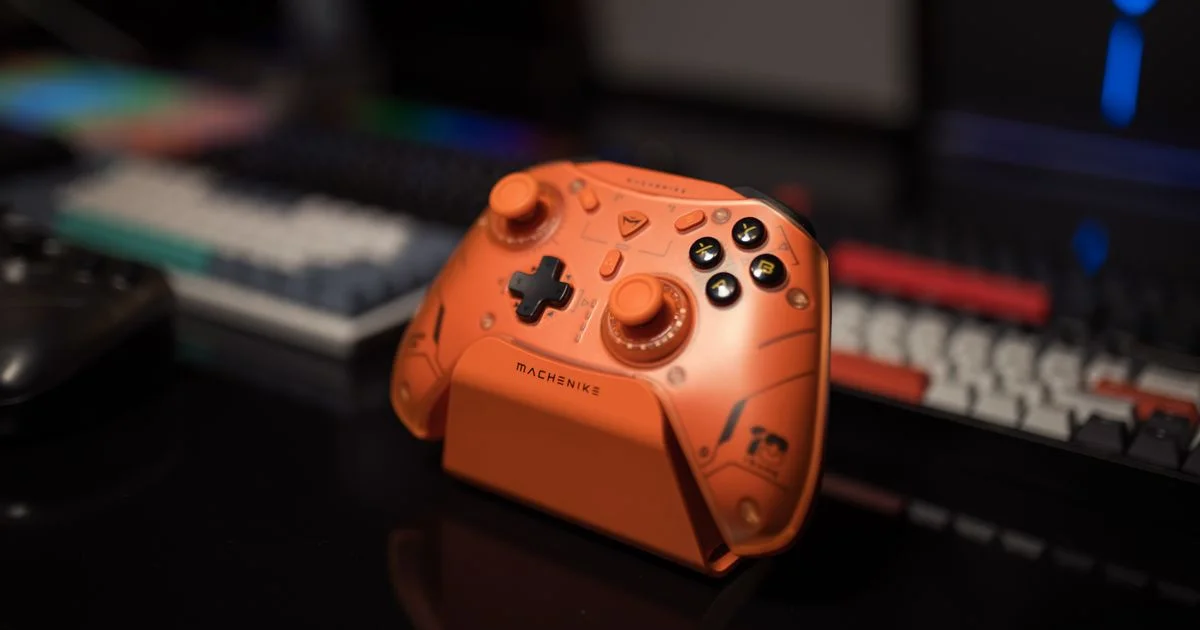
Most PC gamers don’t need a $200 pro-tier pad to play well — they need something that connects reliably, doesn’t drift after a few months, and doesn’t fight Windows every time it wakes from sleep. A best budget gaming controller for pc in the $20–$60 range can now match features that used to be exclusive to premium models, including swappable thumbsticks and low-latency wireless. This guide covers what actually matters at this price point and what corners get cut first.
Key Takeaways
- Wired and 2.4GHz wireless dongles are both more reliable for PC gaming than Bluetooth, which can add noticeable input lag in fast-paced games.
- Hall-effect thumbsticks resist the stick-drift problem that plagues cheap potentiometer-based sticks after months of use.
- Native Xinput support means a controller works instantly in most PC games with zero remapping; generic HID controllers often need extra software.
- Battery life varies enormously at this price — some budget pads last 20+ hours, others need a recharge every 8.
- The cheapest controller in a lineup is rarely the best value; the mid-tier model in a brand’s budget range usually fixes the first-generation’s worst complaints.
Best Budget Gaming Controller for PC: The Short Answer
The short answer: for most PC gamers, the best budget gaming controller for pc is a wired or 2.4GHz wireless pad with Xinput support and hall-effect thumbsticks, priced between $25 and $50. Anything cheaper usually drops hall-effect sticks first, which is the single change most likely to make a controller feel worn out within a year. Anything more expensive in the “budget” category is often paying for RGB lighting or a companion app rather than anything that improves how the controller actually plays.
What Makes a Gaming Controller “PC-Ready”
Not every gamepad marketed for PC is built the same way under the hood. Two technical details decide whether a controller feels native to Windows or feels like an afterthought.
Wired vs Wireless Connections
A wired USB connection is still the most reliable option for competitive or fast-paced games, since it removes both latency and battery anxiety from the equation. 2.4GHz wireless dongles come close to wired performance and are the better pick for most people. Bluetooth is convenient and fine for slower, story-driven games, but it can introduce a small, inconsistent delay that competitive players will notice.
Xinput vs Generic HID
Xinput is the controller standard most Windows PC games are built around, meaning an Xinput controller is recognized automatically with correct button prompts and no setup. Generic HID controllers (a category some off-brand pads fall into) sometimes require a remapping tool like the community favorite DS4Windows or a manufacturer’s own driver, which adds a setup step that Xinput pads skip entirely.
Grip Size and Button Layout
Specs matter less than fit once you’re actually holding the thing for a two-hour session. Budget pads modeled closely on a standard Xbox-style layout tend to be the safest bet, since most PC games design their on-screen prompts around that button arrangement. If you have smaller hands, look for a controller listed as “compact” or “mini” rather than assuming every pad in a lineup is the same size — grip width varies more between budget brands than premium ones.

Cheap Wireless Gamepad for PC: What You Get at Each Price Tier
Shopping for a cheap wireless gamepad for pc gets easier once you know what separates each price band. Below $20, expect basic membrane sticks, shorter battery life, and Bluetooth-only connections. In the $25–$40 range, hall-effect sticks start appearing along with 2.4GHz dongles and better-textured grips. Above $40 but still under $60, you’ll typically see swappable back paddles, longer battery life, and companion apps for remapping buttons — features that used to require a premium controller entirely.
- Under $20: basic build, Bluetooth only, shortest lifespan
- $25–$40: hall-effect sticks common, 2.4GHz wireless, solid all-around value
- $40–$60: back paddles, longer battery, companion remapping software
Affordable PC Gaming Controller with Hall Effect: Why It Matters
The single most useful upgrade to look for in an affordable pc gaming controller with hall effect sticks is longevity, not accuracy. Traditional thumbsticks use a physical potentiometer that wears down with friction over months of use, eventually causing “stick drift” — a phantom input that moves your character even when you’re not touching the stick. Hall-effect sticks use magnets instead of physical contact, so there’s nothing to wear down. A handful of years ago this tech was reserved for $150+ pro controllers; today it’s common in budget pads under $40.
Best Value Windows Controller: Software and Compatibility
A best value windows controller doesn’t need a companion app to be great, but a good one adds real value: custom button mapping, adjustable stick sensitivity, and firmware updates that can fix bugs after purchase. Check before buying whether the controller needs proprietary software running in the background just to function normally — that’s a minor inconvenience for a desktop but a real annoyance on a gaming laptop where every background process eats into battery life.
How to Set Up a New Controller on Windows
- Plug the controller in via USB first, even if it’s a wireless model — this lets Windows install drivers and confirms the hardware works before you add wireless into the mix.
- Open Windows’ built-in “Set up USB game controllers” panel to confirm all buttons and sticks register correctly.
- If the controller isn’t recognized as Xinput, install the manufacturer’s driver or a remapping tool rather than trying to force it to work in-game.
- Update the controller’s firmware if the manufacturer offers an app for it — this step resolves the majority of connection and drift complaints reported in reviews.
- Pair over 2.4GHz or Bluetooth only after the wired test succeeds, then test in a real game before uninstalling any temporary USB connection.
Budget Controllers at a Glance
| Price tier | Best for | Trade-offs |
|---|---|---|
| Under $20 | Casual, occasional play | Bluetooth-only, shorter lifespan, no hall-effect sticks |
| $25–$40 | Most PC gamers | Fewer extra features than premium tiers |
| $40–$60 | Frequent players who want extra durability | Approaching mid-range controller pricing |
Frequently Asked Questions
Here are the questions that come up most often when shopping in this category.
Do I need a wireless controller for PC gaming?
No. A wired connection is actually the more reliable choice for fast, competitive games, and it removes battery charging from your routine entirely. Wireless is mainly a comfort upgrade.
What’s the difference between Xinput and DirectInput?
Xinput is Microsoft’s modern controller standard, built into most current PC games with automatic button-prompt support. DirectInput is the older standard that some off-brand controllers still use, which can require extra remapping software to work correctly.
Is hall-effect worth paying extra for on a budget controller?
Generally yes. Stick drift from worn traditional potentiometers is one of the most common controller complaints, and hall-effect sticks are largely immune to it, which extends the useful life of a budget controller significantly.
Can a budget controller work on both PC and console?
Many can, but check the listing carefully. Some budget pads support PC and one console brand, while others need a specific adapter or cable to switch platforms.
How long should a budget controller’s battery last?
A reasonable expectation at this price point is 10 to 20 hours of wireless play per charge. If a listing doesn’t state a battery life figure at all, treat that as a signal to compare it against pads that do, rather than assuming it’s competitive.
Conclusion
A budget gaming controller for PC doesn’t have to feel like a compromise anymore — hall-effect sticks and reliable wireless have trickled down to the $25–$40 range. Focus on Xinput support and stick durability first, and treat extras like RGB lighting as a bonus, not a deciding factor.


2 Comments
Comments are closed.