

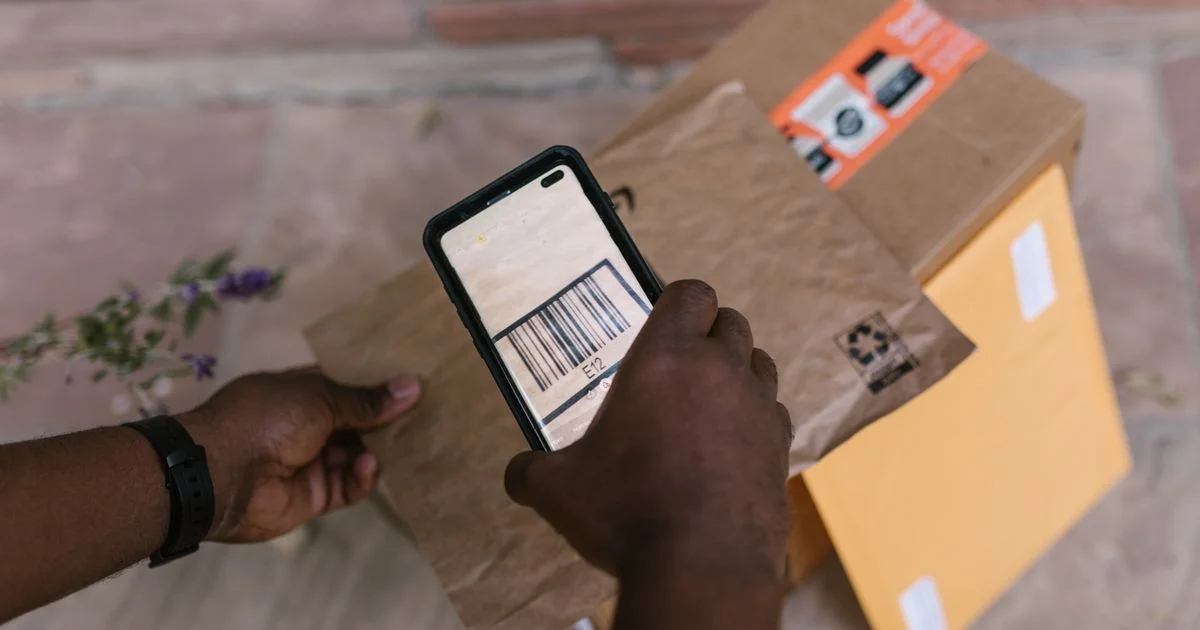
A free app and a paid one do the same thing when you point them at a cereal box. The difference arrives eleven months later, on a card statement nobody reads line by line. That is the real question behind a barcode scanner app under $5/month: not whether it reads the label, because they all do, but what the recurring charge is buying that the camera already in your hand does not.
This is an independent editorial article. We are not affiliated with any company mentioned, and no company reviewed or approved this article. The subscription rules described here are general information rather than legal advice, and terms change.
What a barcode scanner app under $5/month actually buys
Reading the symbol has been free for years. What a barcode scanner app under $5/month charges for sits on the other side of the beep, and it comes down to four things:
- A lookup database. The code is only an identifier. Turning it into a product name, a price history or an ingredient list means somebody has assembled and maintained a catalog, which is an ongoing cost rather than a one-time build.
- Storage of your own records. Counts, locations, dates, quantities. An app that remembers what you scanned last March is running a database on your behalf.
- Export and sharing. Getting a plain file out, or letting a second person see the same list, is routinely the feature that sits behind the paywall.
- No advertising. On a free scanner this is the business model you are buying your way out of.
Nothing on that list is the scanning. If all you need is to point a camera at a square and open a link, you are paying for four services you will not use.
You can check current options here:
Check on Amazon See on Walmart
The free version is already on the phone, and it has one limit
Before any tier, there is the camera. Apple’s own instructions for an iPhone are two steps: “Open the Camera app from the Home Screen, Lock Screen, or Control Center,” then “Hold your device so that the QR code appears, then tap the link to open the content.” There is a second route as well, through Control Center, where you “Open Control Center and tap the Scan Code button.”
Read what that page covers, and more importantly what it does not. It is written entirely about QR codes, for opening websites, apps and tickets. It says nothing about the striped retail code on a grocery package. That is the honest boundary of the free option, and it is a useful one, because it splits the category cleanly:
- Opening a QR code is free, built in, and no app is required. Paying a subscription for this is the clearest waste in the category.
- Turning a retail code into a product record is the part a catalog and a database stand behind, and it is the only part where a recurring charge has anything to justify it.
So the first question is not which app, but which of those two jobs you are doing and how often. Somebody who scans a code twice a month is being sold a service for a task their phone already finished.
What the barcode scanner app price does not include
The monthly figure is the headline, and on this category the barcode scanner app price leaves out three things that decide what the year costs.
The first is the unit the plan is counted in. Some charge per user, some per device, some per scan, some per record stored, and two plans that look identical at the top of a pricing page can diverge sharply once a second person starts scanning. The second is what happens to the data at the end: an app that holds your counts inside an account you cannot export has made leaving expensive in a way no price page shows. The third is the renewal arithmetic, where almost all of the regret in this category lives, and that one has rules behind it worth knowing before the trial starts.
Reading barcode scanner app deals 2026 offers before the trial starts
A free trial that converts into a recurring charge is a negative option feature, and federal law sets a floor under it. Under 15 U.S.C. 8403, a seller may not charge a consumer in an internet transaction with such a feature unless it “provides text that clearly and conspicuously discloses all material terms of the transaction before obtaining the consumer’s billing information,” “obtains a consumer’s express informed consent before charging the consumer’s credit card, debit card, bank account, or other financial account,” and “provides simple mechanisms for a consumer to stop recurring charges from being placed on the consumer’s credit card, debit card, bank account, or other financial account.”
California goes further, and because few apps build a separate cancellation flow for one state, its rules act as a practical standard. Under its automatic renewal law, the ability to cancel “shall be available to the consumer in the same medium that the consumer used in the transaction that resulted in the activation of the automatic renewal or continuous service.” For an online sign-up that means an online exit, by “a prominently located direct link or button which may be located within either a customer account or profile, or within either device or user settings,” or by a “prominently located and continuously and proximately displayed direct link or button entitled ‘click to cancel,’ or words to that effect.”
The notice requirements are the part worth writing on a calendar. For an annual agreement, the reminder is due “at least 15 days and not more than 45 days before the automatic renewal offer or continuous service offer renews.” For a free trial or promotional period longer than 31 days, it is due “at least 3 days before and at most 21 days before the expiration of the predetermined period of time.” The notice has to state the service, “the frequency and amount of charges associated with the automatic renewal or continuous service,” and the means of canceling.
Taken together, those rules turn barcode scanner app deals 2026 offers into a checklist you can run in about four minutes:
- Find the cancel path before you sign up. If you cannot see it from the account screen in the same place you subscribed, that is the answer to the whole question.
- Write the trial end date down yourself. A reminder you are owed is not a reminder you will receive, and the one that matters lands days before the charge rather than after it.
- Check what the plan is counted in – users, devices, scans or records – and multiply by how many of those you will actually have in month six.
- Test the export on the trial. Pull a plain file out while you still owe nothing. If it will not come out now, it will not come out later either.
- Price the annual term only after the first four steps pass. Paying a year up front is a discount on a service you have not finished testing.
The same year-two arithmetic catches people on other recurring software, and our look at what a website builder costs after year one works through it on a larger bill.

What you get at each tier
Tiers here are not about scanning accuracy, which is effectively solved. They are about whose database you are standing on and what you can take with you.
| Tier | What it reads | What it remembers | What it costs you to leave |
|---|---|---|---|
| Built-in camera | QR codes | Nothing | Nothing |
| Free app with ads | QR and retail codes | A short local history | Nothing, beyond the ads you watched |
| Entry subscription | QR and retail codes | A synced list, usually one user | Depends entirely on the export |
| Business tier | Same symbols, more at once | Multi-user records, locations, history | Highest, because the records are the work |
The jump from free to entry is worth paying for only when the memory matters. The jump to a business tier is a staffing decision rather than a software one.
Where the money is genuinely wasted
- Subscribing to read QR codes. The camera does this, Apple documents it in two steps, and no recurring charge improves on free and built in.
- Paying for a catalog you then correct by hand. If half your scans come back as an unknown item and you type the name yourself, you are paying for a database and supplying one.
- Buying an annual plan during a trial. The discount is real and so is the fact that you have not yet found out whether the export works.
- Keeping a plan for a counting job that ended. Seasonal stocktakes finish; the charge does not notice.
The money that is well spent goes on records you can get back out, for a job that repeats often enough to be worth automating.
So is barcode scanner app worth it?
For reading a square and opening a link, no, and the reason is simply that the free version is better than the paid one at that single task. The question is barcode scanner app worth it becomes a real one only when there is a record at the end: a stock count, a collection, a pantry, a till. At that point the subscription is buying a database and a backup, and five dollars a month is a reasonable price for both.
The test is a count. Scan fewer than about ten times a month with no list to look up later, and free is the correct tier while the paid one is a rounding error you will forget to cancel.
Frequently Asked Questions
Three things come up often enough to answer directly.
Does my phone already scan barcodes without an app?
It reads QR codes without one. Apple’s own guidance covers opening the Camera app or the Code Scanner in Control Center and says nothing about striped retail barcodes, which is the honest line between what is free and what is not. For retail codes, an app is doing the work, and the database behind it is what you would be paying for.
How hard is a subscription app meant to be to cancel?
Federal law requires a seller using a negative option feature online to provide “simple mechanisms for a consumer to stop recurring charges.” California’s automatic renewal law is more specific, requiring cancellation “in the same medium that the consumer used” to sign up, with a prominent link or button to do it. Finding that path before you subscribe is the cheapest minute you will spend on the decision.
Is an annual plan better value than monthly?
On paper, usually. In practice it depends on whether the job lasts twelve months. An annual term also moves you into the renewal reminder window above rather than a monthly charge you might catch sooner, so the saving is real and so is the commitment.
What should I check before trusting an app with my counts?
The export. Ask whether you can pull a plain file of your own records out today, without upgrading, and try it during the trial. An app whose data only exists inside its own account has made the records hostage to the charge.
Bottom line
The scanning is free and the memory is what costs money. If your use ends when the link opens, the phone is already the right tool and the subscription is pure leakage. If it ends in a list somebody will read later, pay for the tier whose export you have personally tested, and put the renewal date in your own calendar rather than waiting for theirs.


1 Comment
Comments are closed.