

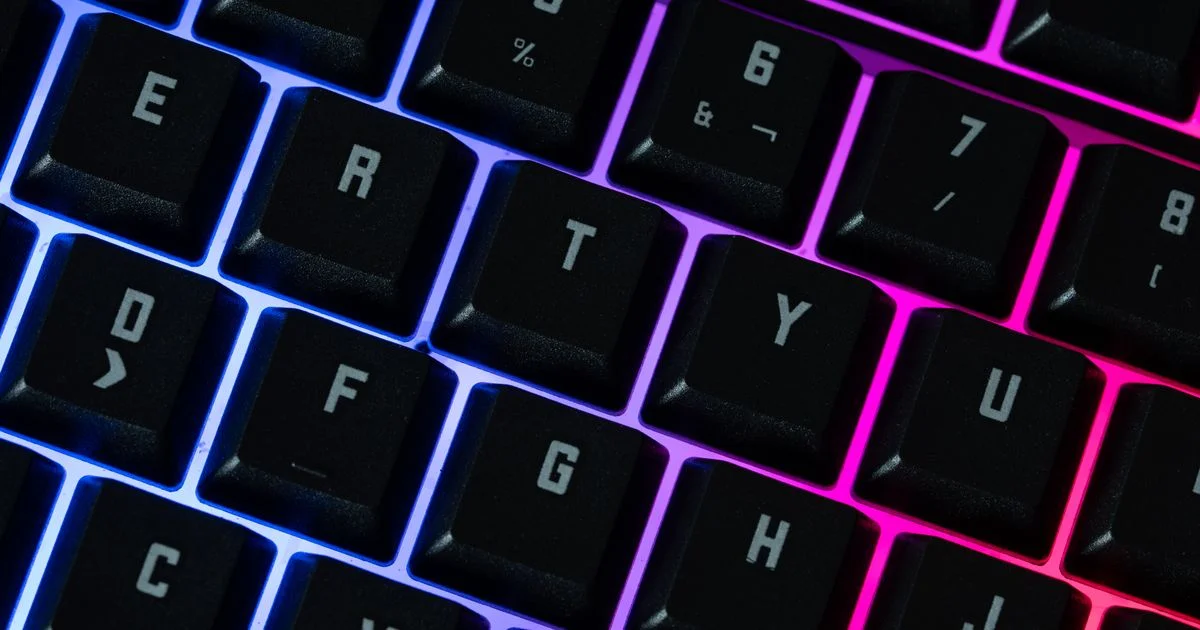
Lighting is the loudest thing on a keyboard listing and, on most boards, one of the cheapest parts inside it. Asking is RGB keyboard worth it is really two questions wearing one coat: what does the lighting itself add to the price, and what does the board around the lighting quietly cost you afterwards. The answer is friendlier than keyboard forums suggest, as long as you know which line on the spec sheet is doing the real work.
This is an independent editorial comparison. We are not affiliated with Keychron, Kailh or Gateron, and no brand reviewed or approved this article.
What you are actually paying for when a keyboard glows
Per-key RGB is a row of small LEDs on a circuit board and a controller chip to address them. At volume, that is not where a keyboard’s cost sits. You can see this in the market itself: lighting appears on boards at every tier, including the cheapest mechanical models on the shelf, which would be impossible if the LEDs were expensive.
What varies is everything the lighting is bolted to. Three things decide how a board feels and how long it lasts, and none of them are the colors:
- The switches — linear, tactile or clicky, and whether they are smooth or scratchy out of the box.
- The keycaps — ABS has a smooth, slightly glossy finish and is prone to developing shine with use; PBT is textured and matte and resists that shine, but costs more.
- The mounting — a gasket mount suspends the plate in the case on rubber gaskets for a cushioned, floating feel, while top and bottom mounts fix the plate directly to the case for a firmer, more rigid one.
A board can have spectacular lighting and scratchy switches. It can also have plain white lighting and feel superb. The lighting tells you nothing about the other three.
Where a cheap RGB keyboard is already enough
For most people, a cheap RGB keyboard covers the entire reason they wanted lighting in the first place: seeing the keys in a dark room and having a desk that looks the way they want. Those needs are satisfied by any board with per-key or even single-zone lighting, and spending more does not make a backlit key more visible.
The place a low-cost board is genuinely enough:
- You want to find keys at night and do not touch-type perfectly.
- You want one static color, or a slow breathing effect, and will never open the software again.
- You use the board plugged in, so battery life is irrelevant.
- You are buying your first mechanical board and do not yet know which switch type you prefer.
That last point is worth more than it looks. Most people who care about keyboards changed their mind about switches within a year of owning one.
What an RGB keyboard price buys at each tier
Moving up the RGB keyboard price ladder does not buy brighter light. It buys the ability to change your mind later, and build quality that survives being typed on for eight hours a day. Here is what separates the tiers in practice.
| Tier | Lighting | What actually improves | What is still missing |
|---|---|---|---|
| Entry | Per-key or single-zone RGB, often with painted or laser-etched legends | Genuine mechanical switches; usable software presets | Soldered switches, hollow case, rattling space bar |
| Mid-range | Per-key RGB, frequently south-facing, double-shot shine-through legends | Hot-swap sockets, better stabilizers, wireless, onboard profiles | Premium case materials, factory-lubed switches |
| Premium | Per-key RGB, no brighter than the tier below | Gasket mounting, metal case, tuned acoustics, very high polling rates | Nothing you will notice in a dark room |
If you only read one row, read the right-hand column of the premium tier. The lighting does not improve as you climb. Everything around it does.

The running costs nobody puts on the box
Three of them, and the first one is hiding in plain sight on nearly every wireless listing.
- Battery figures are quoted with the lighting off. Keychron rates the K2 and its 4000 mAh battery at up to 240 hours, and the V10 Ultra at up to 660 hours — both stated without backlight. That headline number is not the number you get with the lights on. If you want a wireless board and you want it glowing, plan to charge it, or plan to leave it plugged in and accept that you bought a wired keyboard with extra steps.
- Legends wear at different rates. Double-shot shine-through keycaps mold a translucent legend into an opaque cap, so the character cannot fade. The cheaper method etches or burns the legend through a painted coating, and those legends can fade over time. On a lit board, a faded legend is a dark legend.
- Software is a permanent tenant. Per-key effects usually need the maker’s application running to be set, and sometimes to keep running. Boards with onboard profiles store the effect in the keyboard itself and let you uninstall the app. That distinction costs nothing extra and is rarely advertised.
What a budget RGB keyboard gives up that you will actually feel
A budget RGB keyboard does not skimp on light. It skimps on the two things that decide whether the board is still in use in three years.
The first is hot-swap sockets. These are spring-loaded contacts on the circuit board that hold a switch without soldering, so you can pull a switch out with a puller and push a different one in. Kailh sockets are the industry standard on budget and mid-range boards, and Gateron’s newer sockets are rated for tens of thousands of insertion cycles — far beyond what any person will ever do. The premium for a hot-swap board over an equivalent soldered one now runs to roughly 10 to 20 percent, which is small against the cost of buying a second keyboard because you picked the wrong switch. Two cautions: three-pin switches drop into five-pin sockets, but five-pin switches need their plastic guide pins clipped to fit a three-pin socket, and optical hot-swap is a separate ecosystem that only accepts optical switches from that maker.
The second is LED orientation, which sounds like trivia and is not. South-facing LEDs sit below the switch, away from the keycap’s front lip; north-facing LEDs sit above it and can foul taller keycap profiles. If you ever intend to buy a different keycap set, a south-facing board keeps that door open.
Where the money is genuinely wasted
Some of it is genuinely wasted, and it is worth naming.
Paying extra for lighting effects. Wave, ripple, reactive typing and the rest are software, identical across price tiers, and almost everyone settles on one static color within a month.
Paying for a premium board to get brighter light. It is not brighter. A mid-range board with double-shot shine-through caps looks better lit than an expensive board with painted legends, for less money.
Buying wireless purely for the desk aesthetic and then running the lights at full brightness. You will have the cable plugged in by week three.
Buying an 8000 Hz polling rate for office work. It is a real specification and a genuine advantage in competitive shooters. For typing, email and spreadsheets, a 1000 Hz board is indistinguishable, and Bluetooth on many boards polls far lower than either without anyone noticing.
Frequently Asked Questions
The questions that come up most often when people are deciding between two boards that look identical in photographs.
Does RGB lighting slow a keyboard down?
No. Lighting and key reporting are handled separately, and the polling rate on the spec sheet is unaffected by whether the LEDs are on. What lighting does affect is battery life on a wireless board, which is why makers quote their battery hours with the backlight off.
Is white backlighting cheaper than RGB?
Sometimes, and on the same model it usually is. If you only ever run one color, a white-backlit version of a board you like is the same keyboard for slightly less. The saving is small, so buy it for the look rather than the discount.
Do I need the manufacturer’s software?
Only to change settings, and only on boards without onboard memory. If you want to avoid a background application permanently, look for onboard profiles in the specification before you buy, because it cannot be added later.
Will shine-through keycaps wear out?
Double-shot ones will not lose their legends, because the legend is a second piece of plastic rather than a coating. Laser-etched and painted legends can fade with use. ABS caps of either type tend to develop a glossy shine on the most-used keys well before the legends go.
Bottom line
The lighting is close to free; the board it is attached to is not. Buy a hot-swap board with double-shot shine-through caps and south-facing LEDs, spend nothing extra on effects, and you will have the part of the purchase that still matters in three years.


