

Most PC gamers do not need a $200 headset to hear footsteps clearly or sound good on a Discord call. The best gaming headset under $50 for PC can deliver a comfortable fit, a clear microphone, and audio good enough for competitive play, as long as you know which corners are safe to cut. This guide breaks down what actually matters at this price and compares four real, current picks.
Key Takeaways
- A 40–50mm driver and a closed-back design cover most of what you need for game audio at this price.
- Detachable or flip-to-mute microphones are common even in the budget tier and make a real difference day to day.
- “Virtual surround” on a budget headset is a software trick, not extra hardware — set your expectations there.
- Comfort over long sessions usually matters more than any single spec on the box.
- A simple wired headset in this range is typically more reliable than a budget wireless one.
Best Gaming Headset Under $50 for PC: The Short Answer
The short answer: for most people, a wired headset with a 50mm driver, a mute-capable microphone, and a simple design beats a flashy wireless model that cuts corners on battery life or mic clarity. The best gaming headset under $50 for PC right now is one built around comfort and a working microphone, not marketing terms like “7.1 surround” or “RGB lighting.” Four models stand out for different reasons, and none of them require you to spend more than a mid-range game to get one.
What to Look for in Affordable Wired Gaming Headphones with Mic
Every affordable wired gaming headphones with mic option in this price range makes the same handful of trade-offs. Knowing which ones matter to you narrows the list fast.
Driver Size and Sound
Most budget gaming headsets use 40mm to 50mm drivers. Bigger generally means fuller bass and louder output, but it is not a guarantee of better sound. A well-tuned 40mm driver can beat a muddy 50mm one. What matters more at this price is whether footsteps and gunshots sound distinct from background music and explosions — that separation is what actually helps in competitive games.
Microphone Type
Look for either a detachable boom mic or a flip-to-mute arm. Both let you silence yourself instantly without fumbling for a software mute button mid-match. A fixed, always-on mic close to your mouth is the weakest option, since it picks up more breathing and background noise.
Comfort for Long Sessions
Clamping force and cushion material matter more after two hours than any spec sheet number. Memory foam ear cushions and a padded headband reduce the pressure headaches that cheap headsets are known for. If you wear glasses, look specifically for reviews that mention glasses compatibility, since some closed-back designs clamp hard enough to be uncomfortable.
Four Real Picks Under $50
These four headsets come up again and again in independent testing, and each is good for a slightly different kind of gamer.
HyperX Cloud Stinger 2
This wired headset uses 50mm drivers and a swivel-to-mute microphone, paired with memory foam ear cushions and rotating earcups. It lists for just under $50 and is built around comfort and simplicity rather than extra features — a solid pick for anyone who mainly wants reliable audio and clear voice chat without a learning curve.
Corsair HS35
The HS35 is a wired stereo headset with a detachable microphone, so you can pop the boom off entirely when you are just listening to music or watching a video. It has a reputation for holding up well physically, which matters if you have gone through headsets before by snagging cables or bending hinges.
SteelSeries Arctis 1
The Arctis 1 pairs a detachable ClearCast microphone with a lightweight, steel-reinforced headband. It is one of the few headsets in this range built to work across PC, PlayStation, Xbox, Switch, and mobile without extra adapters, which makes it a good option if your headset needs to follow you between a gaming PC and a console.
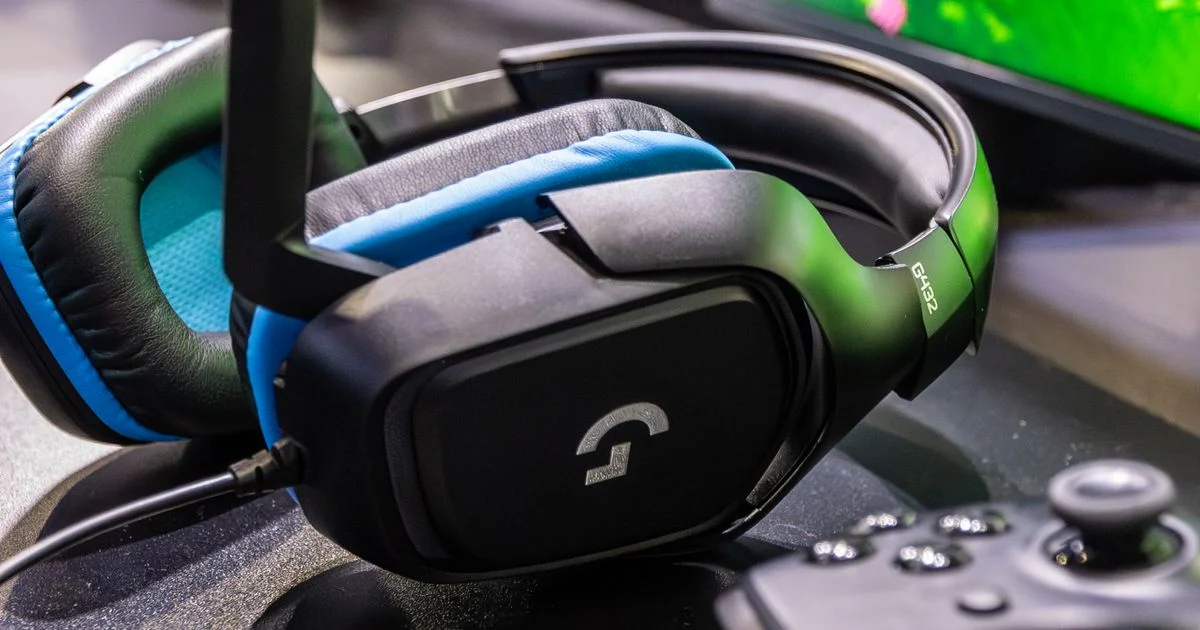
Logitech G432
Independent testers have called the G432 the strongest all-around budget pick, citing a comfortable, lightweight fit for long sessions and solid overall build quality. It skips the extras and focuses on getting the basics — comfort and sound — right.

Chasing a Cheap Surround Sound PC Headset? Here’s What “Surround” Actually Means
A lot of listings advertise a cheap surround sound PC headset with “7.1 virtual surround,” and it is worth understanding what that phrase does and does not promise. None of the headsets above have seven physical speakers crammed into two earcups. Instead, software on your PC (like Windows Sonic or a headset’s own driver suite) processes a normal stereo signal to simulate directional cues, so footsteps behind you sound like they are coming from behind you.
This works reasonably well for positional awareness in shooters, but it is not the same as true multi-driver surround hardware, which does not really exist at this price point. If a listing implies otherwise, treat it as marketing language rather than a hardware claim.
Best Budget Gaming Audio at a Glance
Here is how the four picks compare for best budget gaming audio once you look past the spec sheets.
| Headset | Best for | Mic style | Trade-off |
|---|---|---|---|
| HyperX Cloud Stinger 2 | All-around comfort and simplicity | Swivel-to-mute, fixed | Fewer platform extras than the Arctis 1 |
| Corsair HS35 | Durability and a fully removable mic | Detachable boom | Fewer comfort features than the Cloud Stinger 2 |
| SteelSeries Arctis 1 | Switching between PC and consoles | Detachable ClearCast | Steel headband looks plainer than gamer-styled designs |
| Logitech G432 | Long sessions without fatigue | Flip-to-mute boom | Less standout styling than RGB-heavy rivals |
How to Get the Best Sound from a Budget Headset
A cheap headset can still sound better than it did out of the box if you set it up correctly.
- Update your PC’s audio drivers before judging any headset — outdated drivers cause more “bad audio” complaints than the hardware itself.
- Turn on Windows Sonic (or your headset’s own spatial audio setting) only for games, since it can make music and movies sound artificial.
- Position the microphone about a thumb’s width from the corner of your mouth, not directly in front of it, to cut down on breathing noise.
- Set in-game chat volume and system volume separately so a loud teammate does not force you to blast the game audio too.
- Store the headset on a stand or hook rather than coiled in a bag — cable stress is the most common failure point on budget models.
Mistakes to Avoid When Buying a Cheap Headset
- Buying based on RGB lighting or box art instead of driver size and mic type.
- Assuming “wireless” always means better — budget wireless headsets often have worse battery life and more latency than a $20 wired option.
- Ignoring return policies, since ear cushion comfort is genuinely hard to judge from photos alone.
- Skipping the microphone test built into Windows before your first game session, so you find mic issues before a match, not during one.
Frequently Asked Questions
A few questions come up constantly when people shop for a headset in this price range.
Is a $50 gaming headset actually good enough for competitive games?
Yes, for the vast majority of players. The gap between a $50 headset and a $150 one is mostly about comfort, build materials, and extra software features — not the core ability to hear directional audio clearly.
Do I need a USB headset or is 3.5mm fine?
A 3.5mm wired headset works with almost any PC, laptop, or console without drivers, which makes it the simpler and more universal choice. USB headsets can offer extra software features but add one more thing that can go wrong.
Will a cheap headset work for streaming or recording gameplay?
For casual streaming or Discord use, yes. If you plan to grow an audience around your voice specifically, a separate USB microphone will outperform any headset mic in this price range.
How long should a budget gaming headset last?
With normal use, one to three years is a realistic expectation. The most common failure points are the cable near the plug and the hinges connecting the headband to the earcups, so gentle handling extends life more than any spec does.
Conclusion
You do not need to spend big to get a headset that sounds clear and keeps your voice audible in chat. Pick based on how you actually use it — console switching, all-day comfort, or a mic you can remove — and any of these four picks will serve you well for a long time.


2 Comments
Comments are closed.